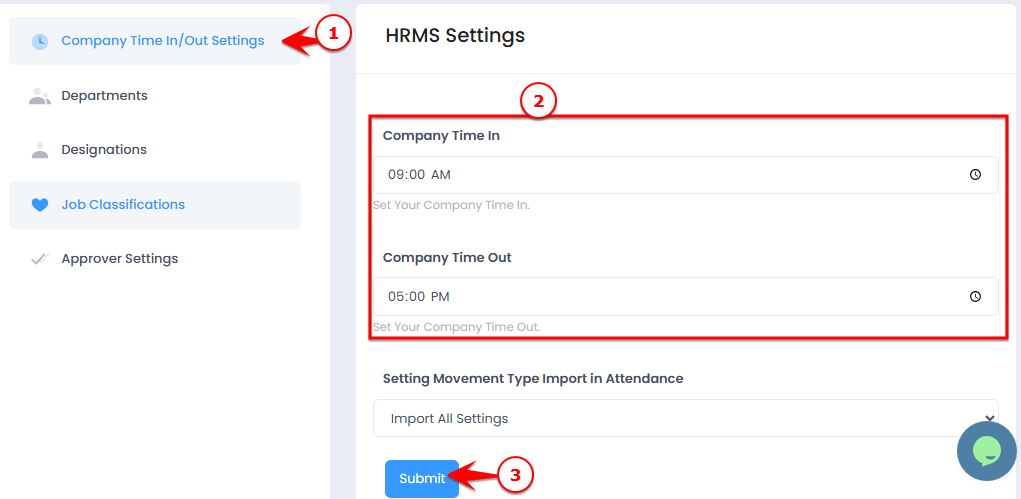
The Company Time In/Out submodule allows you to set your company’s official working hours, including:
Start time (Time In)
End time (Time Out)
This ensures accurate attendance tracking for all staff.
⚠️ Note: If your company has multiple branches with different working hours, it is recommended to use shifts for each branch to manage attendance properly.
? Where to Access HRMS
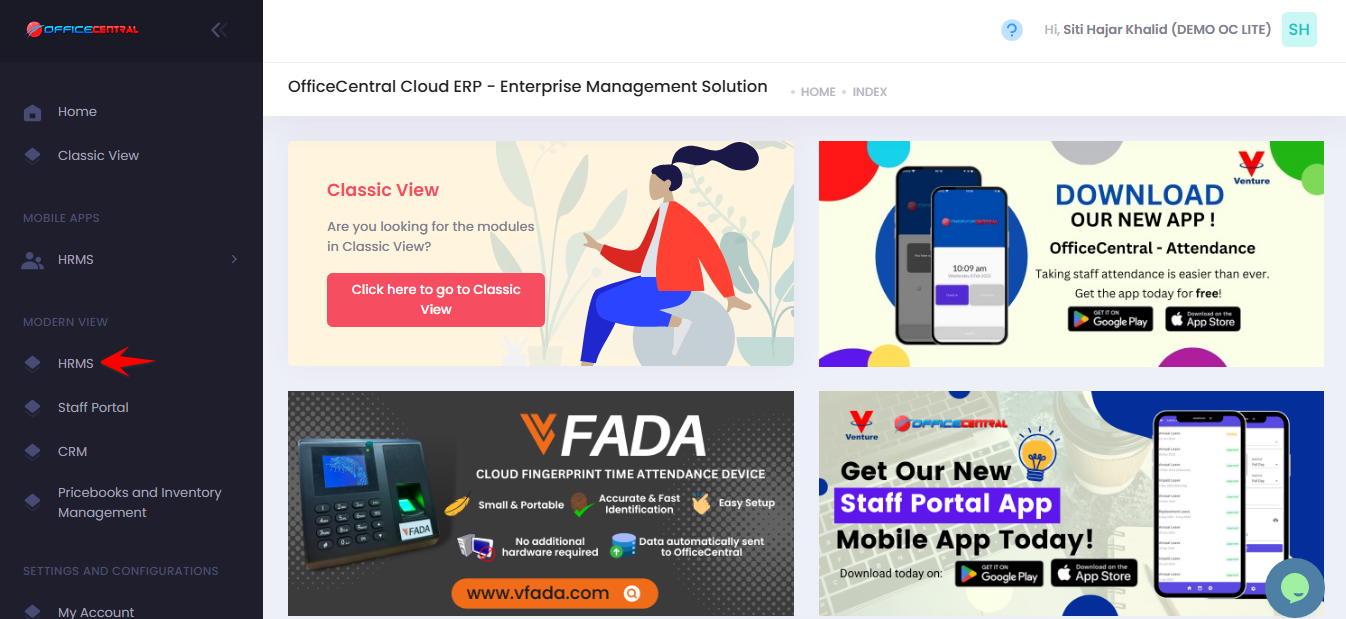
? Where to Access This Function
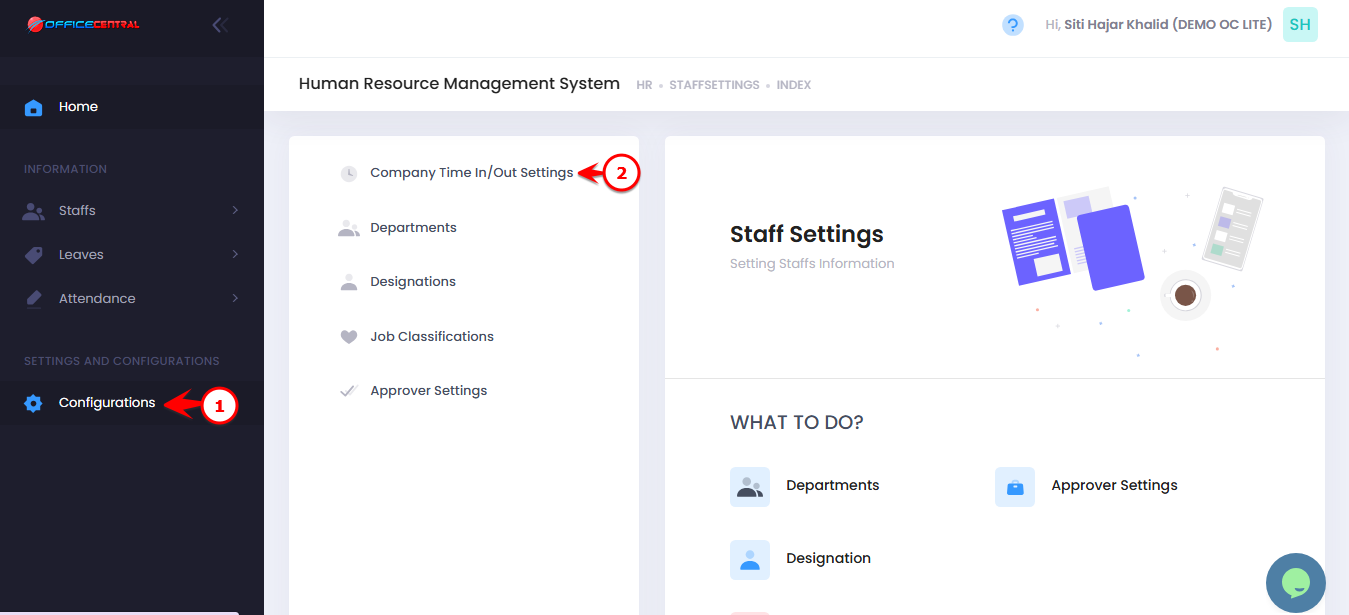
Go to Configurations
Click Company Time In/Out Settings
Use the screenshot below to locate the menu button:
Steps to Configure Company Time In/Out
1️⃣ Click Company Time In / Out Settings
2️⃣ Fill in the following details:
| No. | Field | What to Enter |
|---|---|---|
| 1 | Time In | Enter official start time (e.g., 9:00 AM) |
| 2 | Time Out | Enter official end time (e.g., 5:00 PM) |
3️⃣ Click Submit to apply the working hours
Use the screenshot below to locate the menu button: