
You can manage staff details across multiple tabs: Basic Information, Job Information, Personal Information, Address, Emergency Contact, Family Details, and References.
? Where to Access HRMS
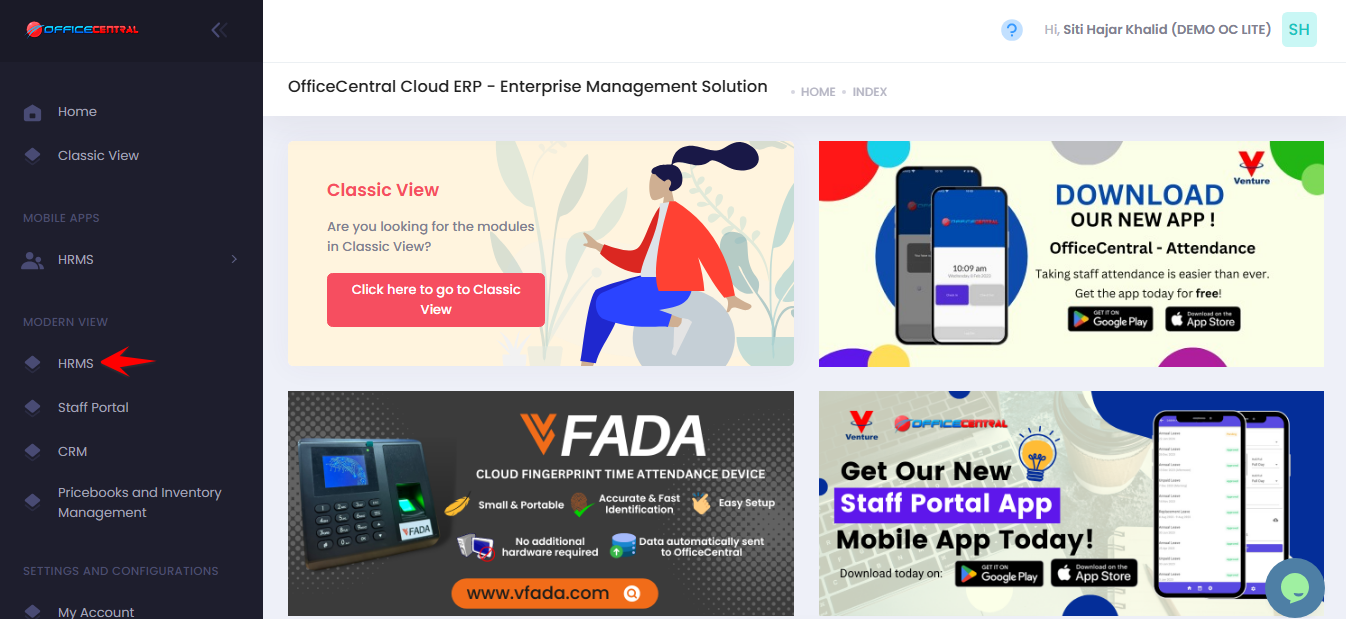
? How do I add a new staff?
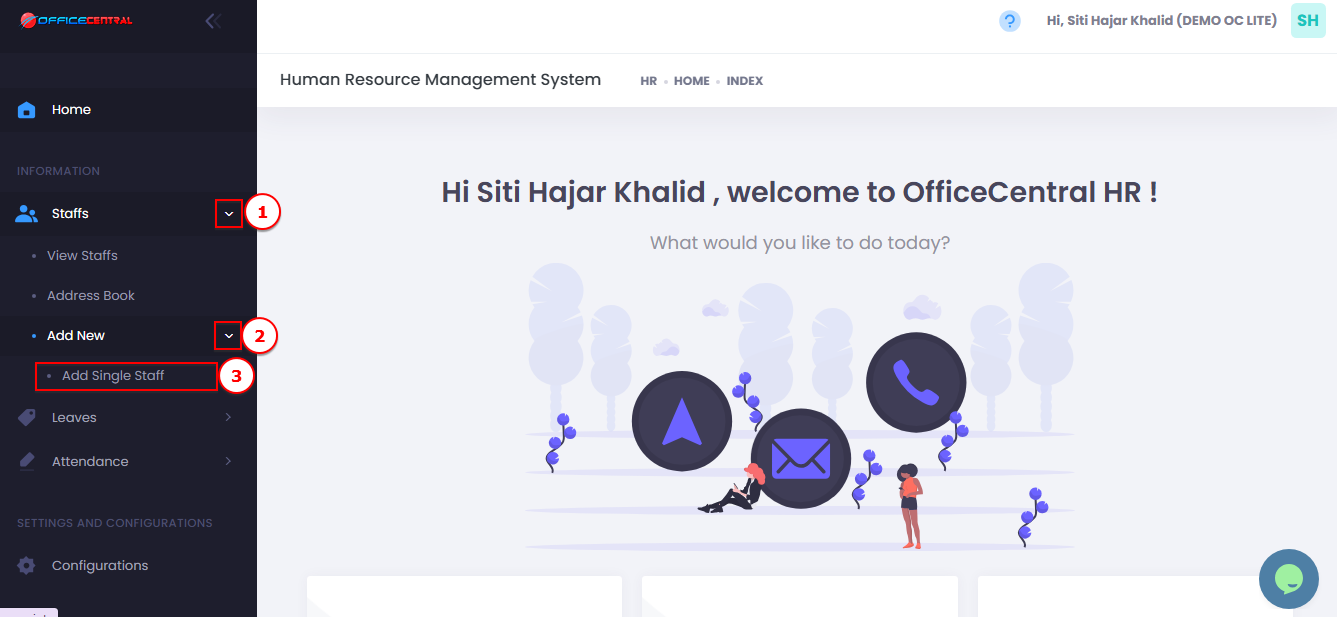
Go to Staffs
Go to Add New
Click Add Single Staff
Use the screenshot below to identify the buttons.
1️⃣ Basic Information Tab
This tab contains fundamental details about the staff.
| Field | Description | Notes / Importance |
|---|---|---|
| Avatar | Upload staff photo | Used for identification in system |
| Name | Full name of staff | Mandatory |
| Staff Number | Unique staff ID | Mandatory |
| Identification Number | IC / Passport | Mandatory |
| Bank | Bank name for salary | Linked to payroll. To add bank options, please refer Global Configuration module |
| Bank Account Number | Bank account for salary | Required if used for payroll |
| Staff email | Used for notifications (leave, claim, advance, overtime etc) | |
| Tag | Custom tag for staff | Optional |
| Note | Additional notes about staff | Optional |
⚠️ Ensure email is correct if staff needs to receive notifications.
2️⃣ Job Information Tab
Contains employment details. Critical for leave, payroll, approver mapping, and chart of accounts.
| Field | Description | Notes / Importance |
|---|---|---|
| Date Joined | Start date of employment | Plays key role in leave calculation & payroll |
| Supervisor | Staff’s superior | Not an approver, just hierarchy reference |
| Has Overtime | Checkbox | Enables overtime calculations |
| Job Type | Direct / Indirect | Please use default: DIRECT |
| Job Status | Job status | Permanent / Contract for Service / Internship etc |
| Job Classification | Classification tier | Controls leave entitlements |
| Location | Office / branch | Used for attendance especially Off Day |
| Department | Department staff belongs to | Key for bulk approver mapping & chart of account mapping |
| Designation | Staff position | Informational & HR reporting |
| Staff Under Probation? | Checkbox | Important for leave restrictions |
| Probation Period (Months) | Duration of probation | Optional |
| Date Confirmation | Date probation ends | Optional |
3️⃣ Personal Information Tab
| Field | Description | Notes / Importance |
|---|---|---|
| Gender | Male / Female | Mandatory |
| Birth Date | Date of birth | Mandatory |
| Place of Birth | Mandatory | |
| Race | Mandatory | |
| Religion | Mandatory | |
| Nationality | Mandatory | |
| Marital Status | Single / Married / Divorced / Widow / Widower | Used for PCB calculation |
| Is Employee Disabled? | Checkbox | Required for statutory reporting |
| Address Line 1 | Optional | |
| Address Line 2 | Optional | |
| Postcode | Optional | |
| City | Optional | |
| State | Optional | |
| Country | Optional |
4️⃣ Emergency Contact Details
| Field | Description |
|---|---|
| Name | Contact person in case of emergency |
| Relationship | Relationship to staff |
| Phone | Landline number |
| Mobile Phone | Mobile number |
| Optional, for notifications | |
| Address | Optional |
5️⃣ Family Details (Optional but suggested)
| Field |
|---|
| Father’s Name |
| Father’s IC |
| Mother’s Name |
| Mother’s IC |
| Spouse Name |
| Spouse IC |
| Is Spouse Disabled? |
| Is Spouse Working? |
6️⃣ Reference Details (Past Employer)
| Field | Description |
|---|---|
| Name | Previous employer contact |
| Designation | Position at previous employer |
| Organization | Company name |
| Phone | Contact number |
| Contact email | |
| Note | Optional notes about reference |