
? Where to Access HRMS
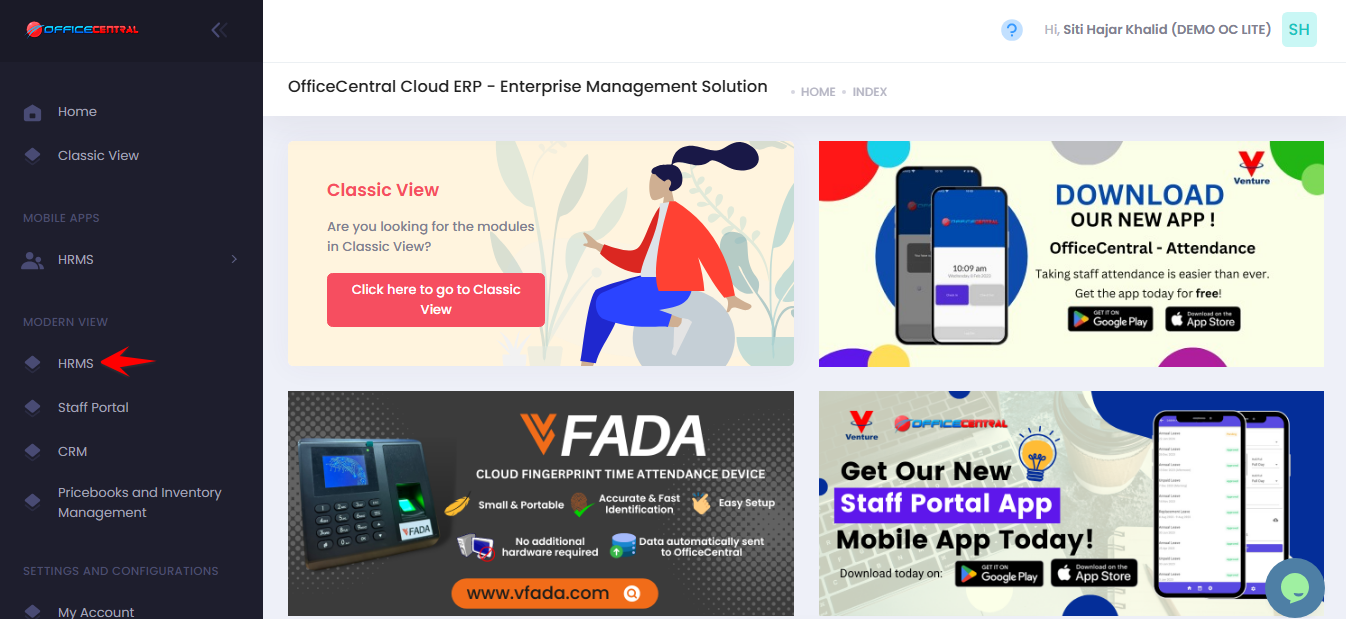
? Where to Access This Function
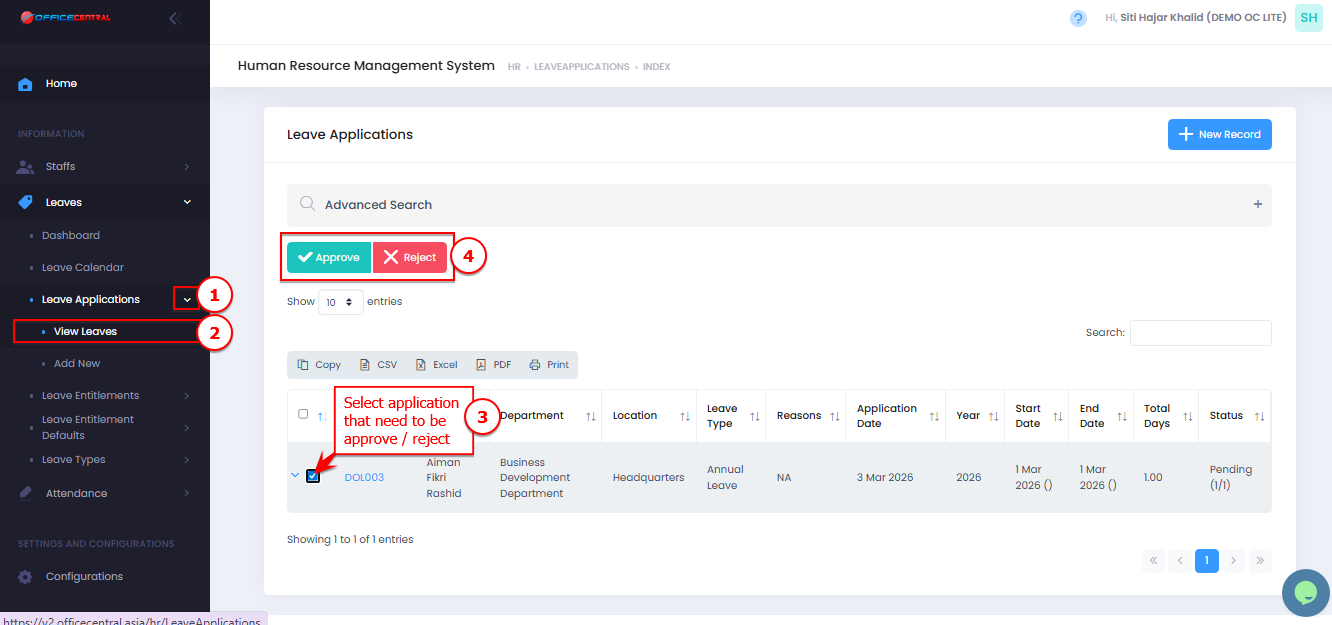
Go to Leaves → Leave Applications → View List
This page shows all leave applications in the system.
? Steps to Approve / Reject
1️⃣ Locate the leave application.
2️⃣ Click on the leave record.
3️⃣ Click Approve / Reject
✔ The leave status will update to Approved / Rejected
Use the screenshot below to locate the buttons.
 .
.