
In OfficeCentral, you can choose pre-made report templates for different modules such as Payroll, Finance, CRM, Procurements, HRMS, and Accounting.
⚠️ Note: Templates are predefined and cannot be customized.
⚠️ Any request to customize a report will be treated as a feature request, and charges may be incurred per manday.
? Where to Access This Function
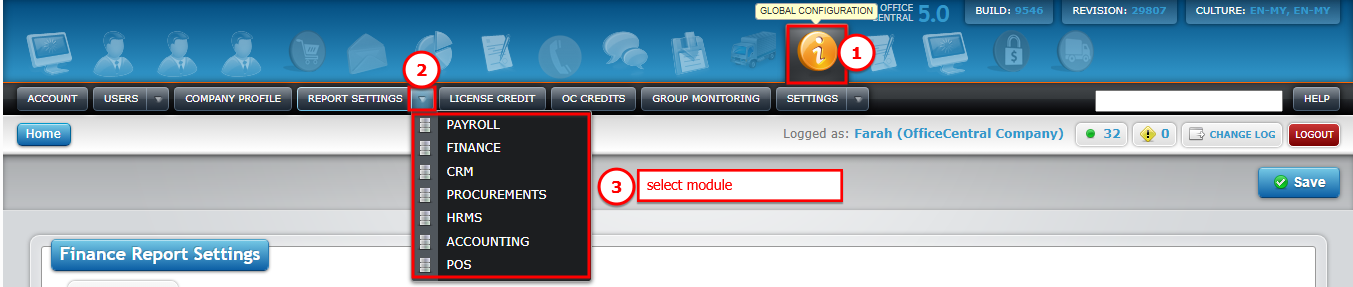
Go to Global Configuration
Click Report Settings
Use the screenshot below to locate each button:
1️⃣ Example: Payroll Report Template
Click Payroll under Report Settings
You will see the screen with available templates
Use the screenshot below to locate each template and the Save button:
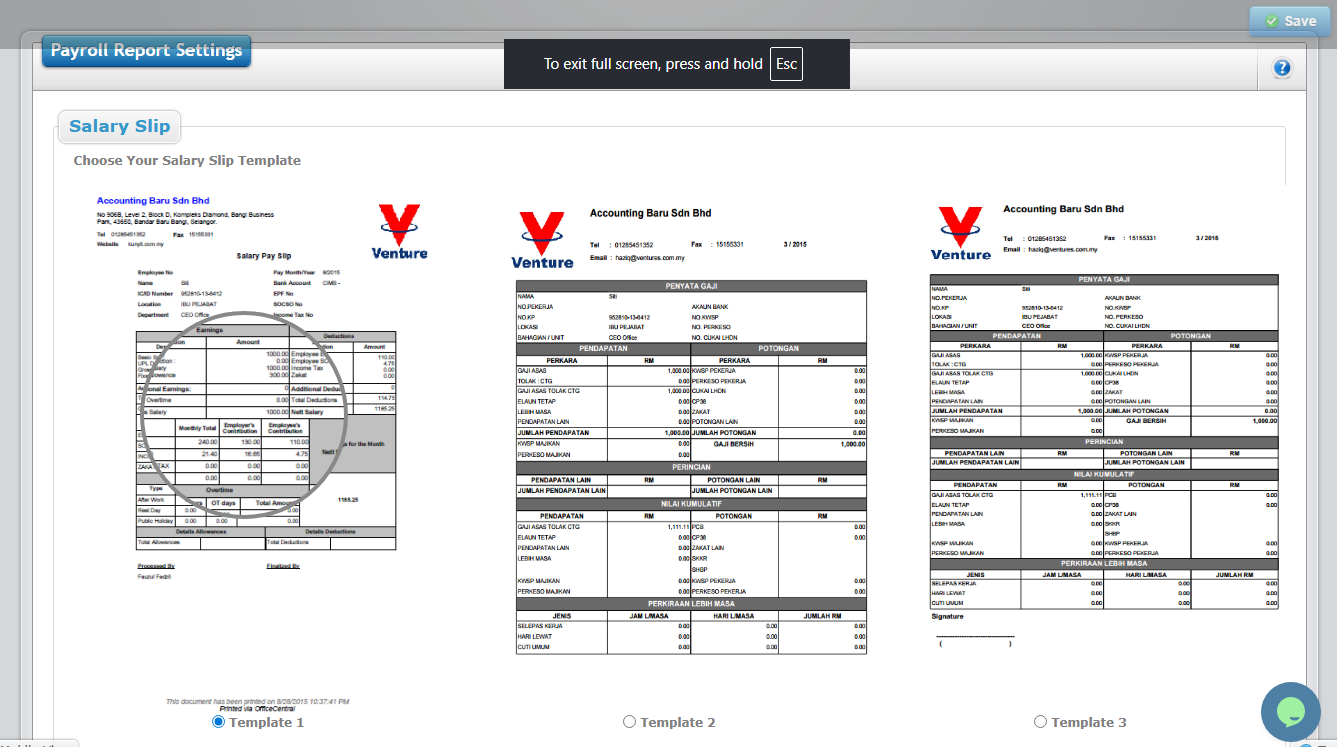
Choose the template you want (e.g., Salary Slip)
Click Save
✅ Note: Only one template can be selected for each report type.
2️⃣ List of Modules & Available Templates
For other modules, you can select the template in the same way:
| Module | Available Templates |
|---|---|
| Payroll |
|
| Finance |
|
| CRM |
|
| Procurements |
|
| HRMS |
|
| Accounting |
|
| POS |
|