
In OfficeCentral, each paid staff MUST HAVE payroll profile. All salary information such as basic salary, bank account number, salary currency, etc are recorded in this payroll profile.
? Where to Access Payroll
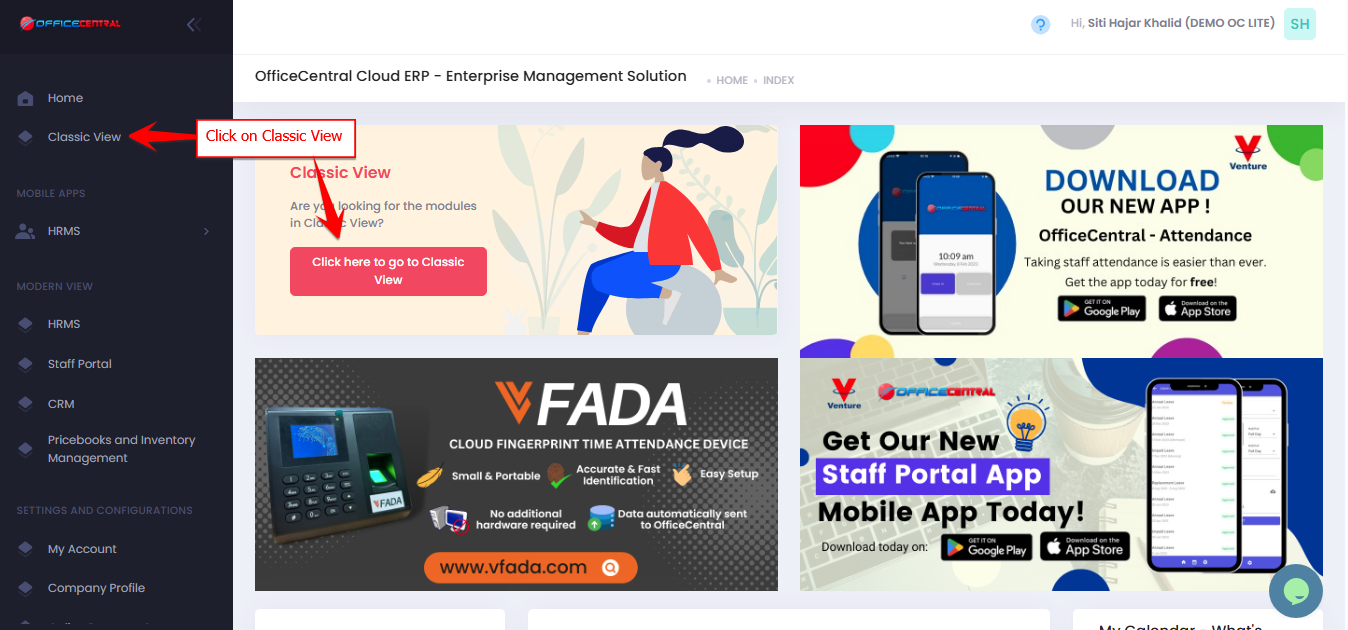

1️⃣ Where to Access This Function
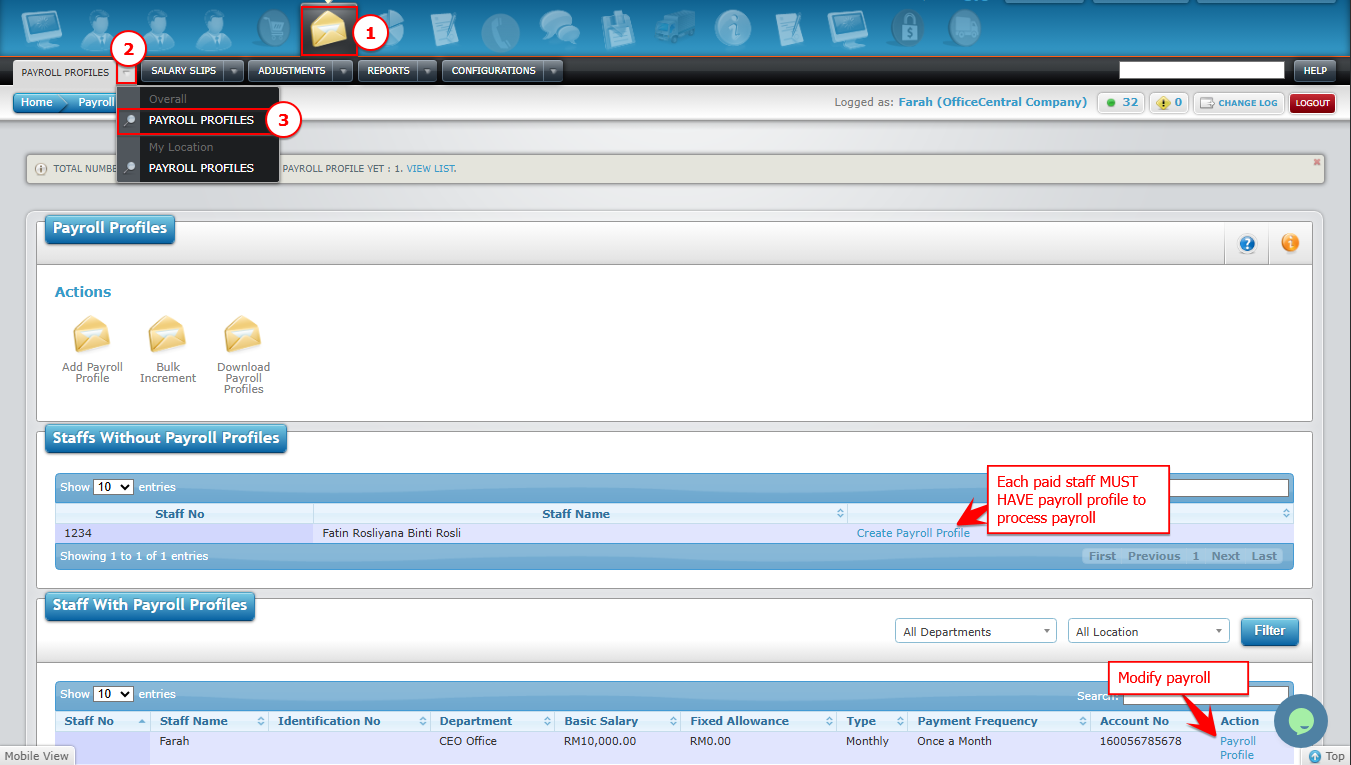
Go to Payroll > Payroll Profiles > Payroll Profiles
You will see a list of existing payroll profile for each staff in your company.
| Button | Function |
|---|---|
| Create Profile Profile | Create payroll profile for the staff |
| Payroll Profile | Modify payroll profile |
2️⃣ Create Payroll Profile

Description:
| Number | Description |
| A | Enter staff basic salary. |
| B | Select salary type whether it is daily, hourly or monthly. Daily: Salary is calculated per day worked. Enter the daily rate in the Basic Salary box. Staff earns RM80/day → Enter 80 in Basic Salary. Hourly: Salary is calculated per hour worked. Enter the hourly rate in the Basic Salary box. Staff earns RM10/hour → Enter 10 in Basic Salary. Monthly: Salary is calculated per month. Enter the monthly amount in the Basic Salary box. Staff earns RM2,000/month → Enter 2000 in Basic Salary. |
| C | Select the frequency of salary payment in a month. Once a month: Staff receives their salary one time per month. Salary = RM2,000 → Paid once as RM2,000. Twice a month: Staff receives their salary two times per month. The system automatically splits the salary into two equal payments. Salary = RM2,000 → Paid RM1,000 in the first half, RM1,000 in the second half of the month. |
| D | Select salary calculation group for this staff. |
| E | Fixed Allowance is an amount you pay to staff that remains the same regardless of leave or other factors.
⚠️ Important: ? Tip: Use the fixed allowance field only for amounts that should stay constant. |
| F | Tick “√” here if this staff has calculation for overtime. |
| G | Select bank for the purpose of salary payment for this staff. |
| H | Enter staff account number based on selected bank. |
| I | Select salary currency. |
Next, key in also other required information such as contributions to statutory bodies such as EPF, SOCSO, PCB, etc

3. Once done, click on “Save” button on the top right of the page.