
1️⃣ How to Reset Your Password
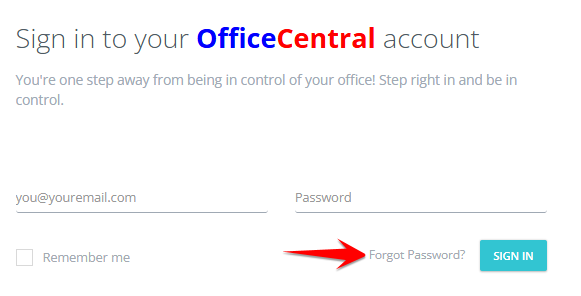
On the login page, click “Forgot Password?”
Enter your registered email address (this is your username).
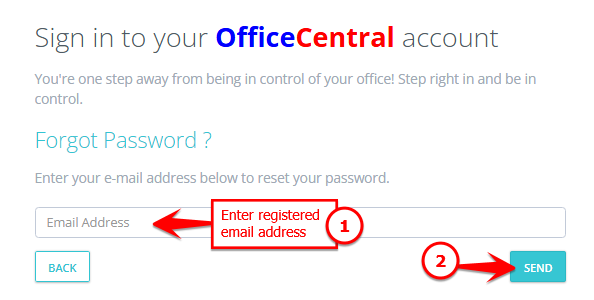
Click the “Send” button.
2️⃣ What Happens Next?
The system will send a new password to your registered email address.
Check your inbox (and spam/junk folder, if necessary).
Use the new password to log in.
After logging in, you are advised to change your password to something secure and easy for you to remember.
3️⃣ Important Tips
Make sure you enter the correct registered email address.
If you don’t receive the email within a few minutes, check your spam folder.
Keep your password private and do not share it with others.
If you still face issues resetting your password, please contact your system administrator or support team at support@ventures.com.my for assistance.