
In OfficeCentral, you can also add additional earnings (allowance, bonus, commission, gratia etc) and additional deductions (PTPTN, advances, staff loan etc) types calculated during salary processing. To access this module, you need to have adjustment purpose first.
? Where to Access Payroll
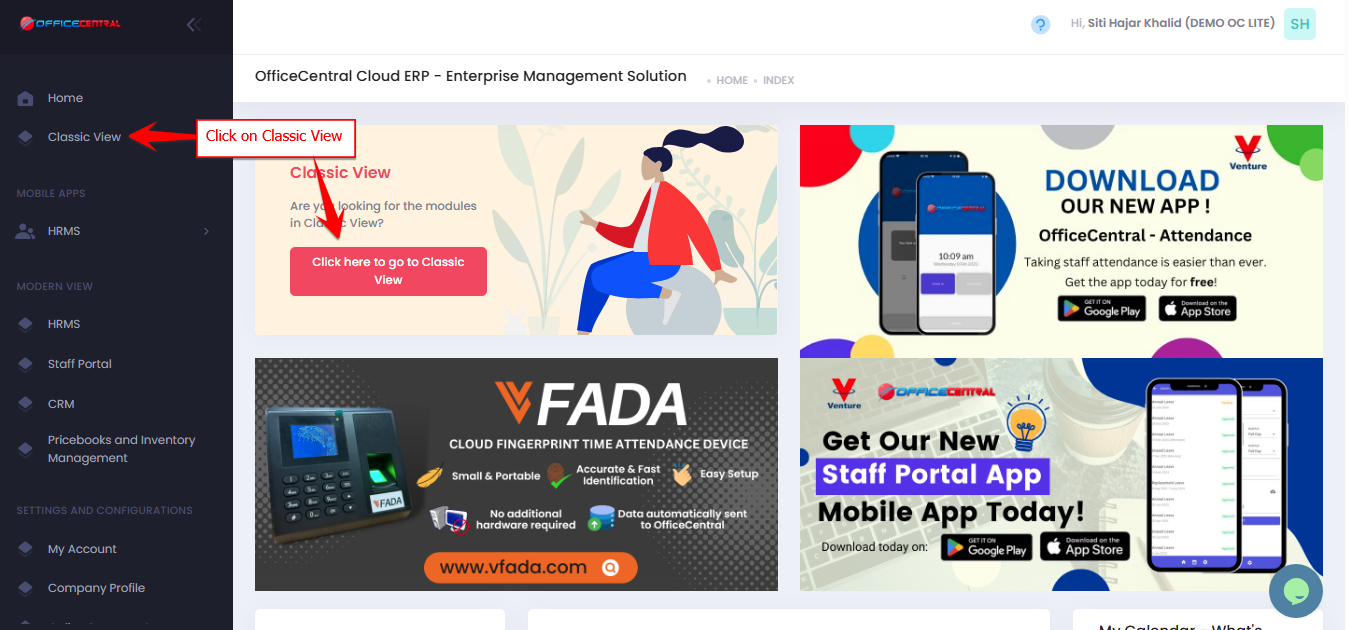

1️⃣ Where to Access This Function
Go to Payroll > Configurations > Adjustment Purposes > View List
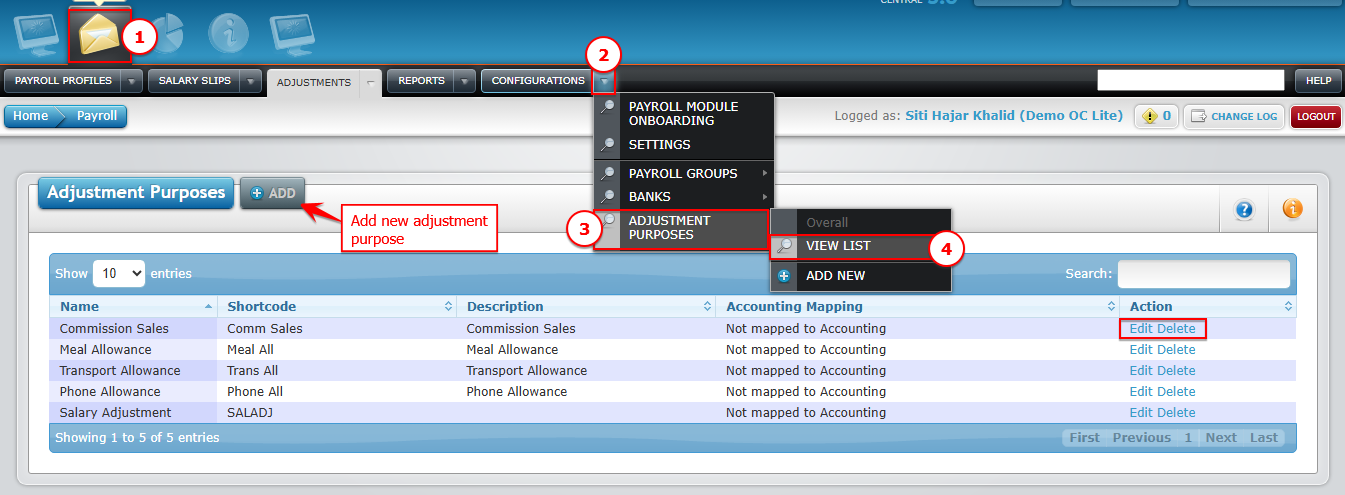
You will see a list of existing adjustment purposes for additional earnings / deductions.
From here, you can:
| Button | Function |
|---|---|
| Add | Add new adjustment purpose |
| Edit | Modify adjustment purpose |
| Delete | Permanently remove adjustment purpose |
Use the screenshot below to locate each button
2️⃣ How to Add a New Adjustment Purpose
Click Add.
Fill in the required information:
| No. | Field | Description | Tips |
|---|---|---|---|
| 1 | Ajdustment Purspose | Enter the allowance or deduction name (e.g., Travel Allowance) | Use clear and standard naming |
| 2 | Shortcode | Short form shown on salary slip (e.g., TRVALLW) | No fixed format — follow company practice |
| 3 | Description | Additional details about this adjustment | Optional but useful for internal reference |
| 4 | Adjustment Type | Select from available options (choose “Others” if not listed) | Example: PTPTN, Commissions |
| 5 | Deduction Checkbox | Tick (√) if this is a salary deduction | Leave unticked if it is an allowance or other additional earnings |
| 6 | EPF Contribution | Tick (√) if included in EPF calculation | Based on company policy |
| 7 | SOCSO Contribution | Tick (√) if included in SOCSO calculation | Based on company policy |
| 8 | PCB / MTD | Tick (√) if subject to monthly tax deduction | For taxable allowances/deductions |
| 9 | Zakat | Tick (√) if included in Zakat calculation | If applicable |
| 10 | HRDF / PSMB | Tick (√) if included in HRDF contribution | For eligible companies |
| 11 | Overtime | Tick (√) if included in overtime calculation | Only if it affects OT |
Use the screenshot below to locate each button
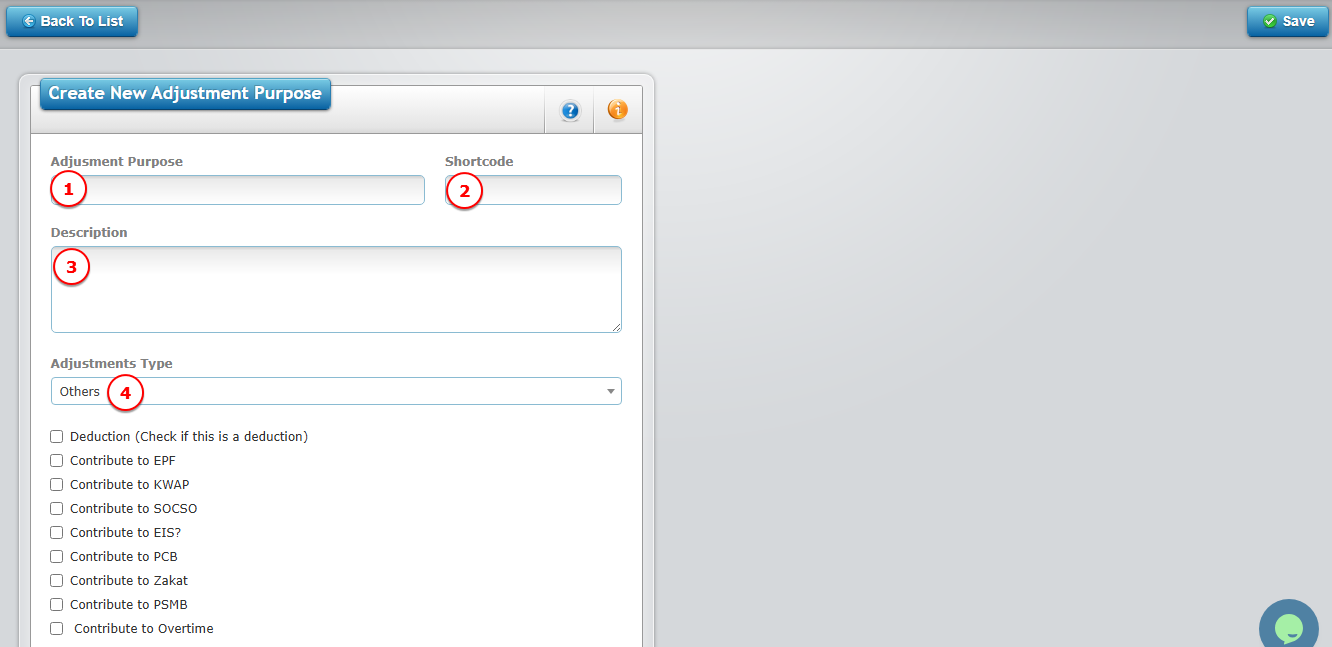
Once complete, click Save (top-right of page).
⚠️ Important Notes
Only UNUSED adjustment purposes can be deleted. Once deleted, it CANNOT be recovered.
Use the Adjustment Purpose setup to standardize allowances and deductions across payroll.
Any adjustments to staff should be done separately (individual or bulk).