
The Department submodule in OfficeCentral allows your company to:
Organize staff by department
Map staff automatically to the correct Chart of Accounts
Track payroll, employment contributions, and expenses accurately
⚠️ Note: Mapping to Chart of Accounts is optional. You can create a department without setting COA mappings. However, if you want automated accounting for payroll and related expenses, COA mapping is recommended.
? Where to Access HRMS
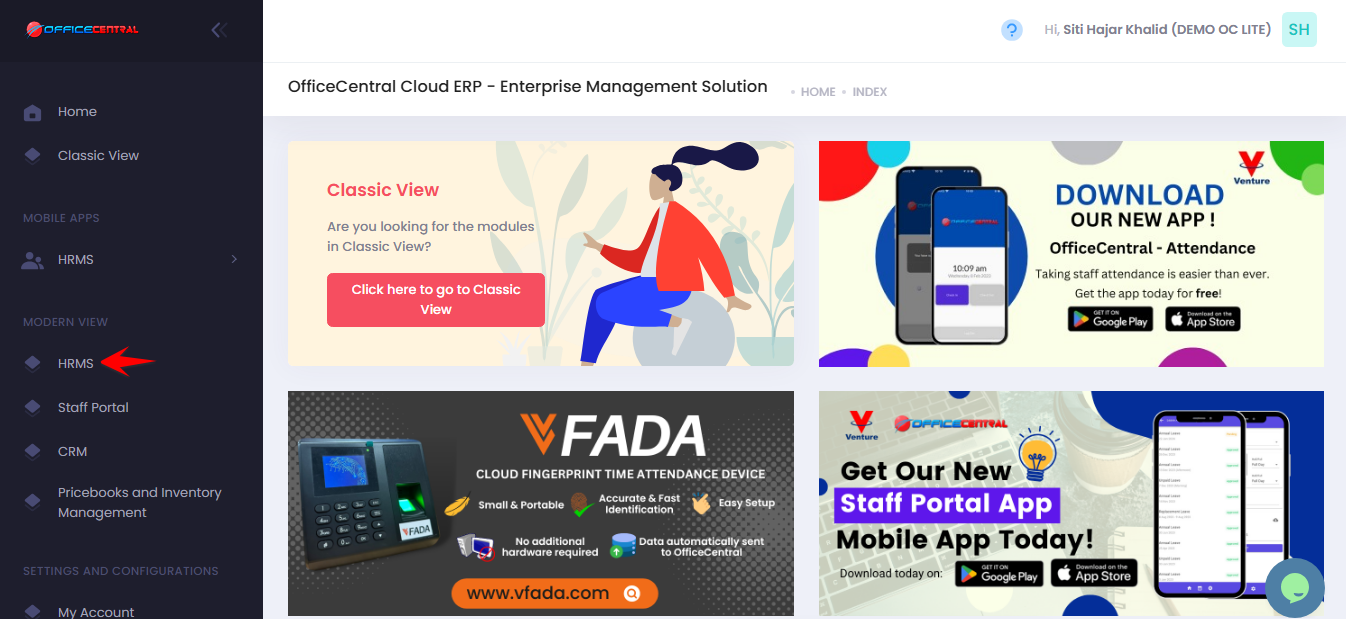
? Where to Access This Function
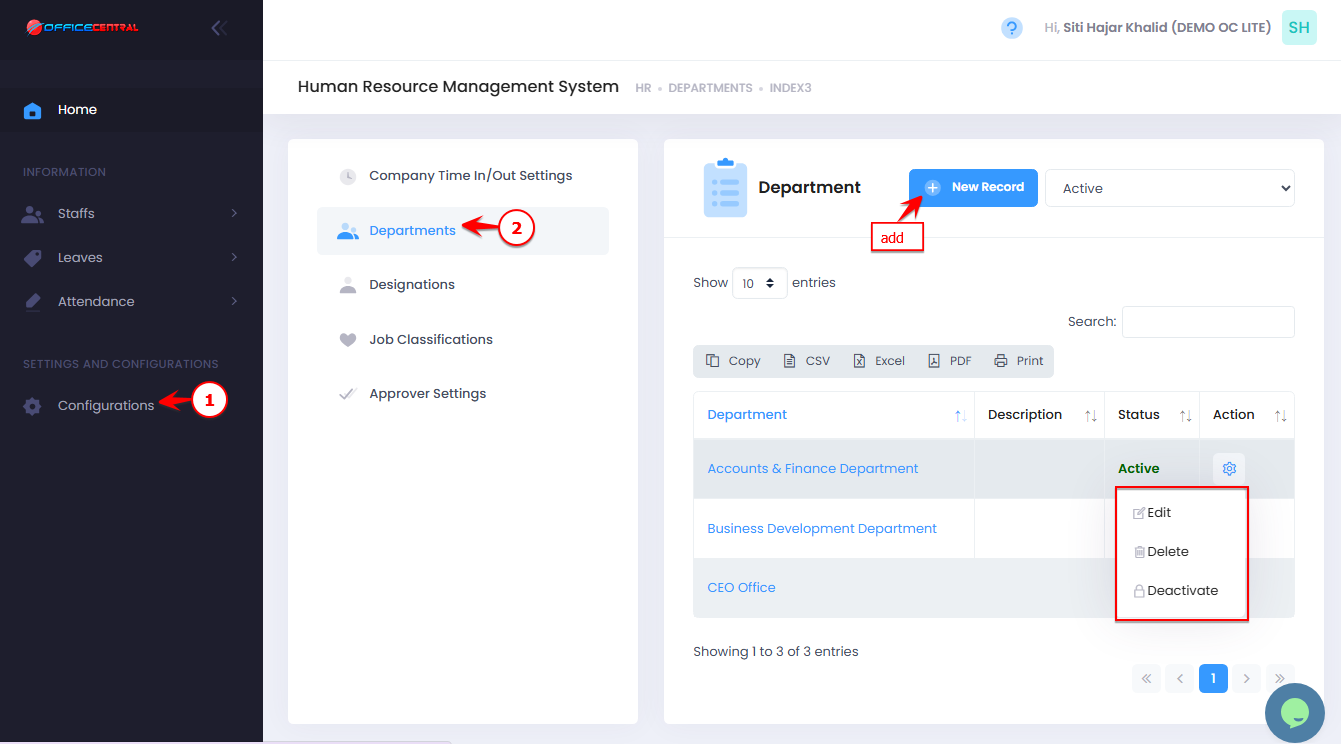
Go to Configurations
Click Department
From here, you can:
No. Action Description Button 1 Add Create a new department Click New Record at the top of the page 2 Edit Modify an existing department’s information or COA mapping Click Edit next to the department in the list 3 Delete Permanently remove a department Click Delete next to the department in the list 4 Deactivate Temporarily disable a department without deleting it Click Deactivate next to the department in the list
Use the screenshot below to locate the Add New button:
1️⃣ Add a New Department (Compulsary Fields)
Click New Record
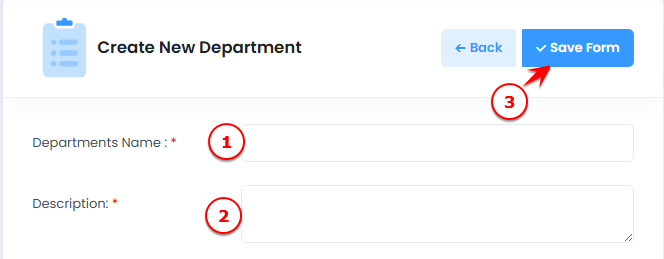
Fill in the department details:
| No. | Field | What to Enter |
|---|---|---|
| 1 | Department Name | Full name of the department (e.g., Sales, HR, Finance) |
| 2 | Description | Optional notes about the department |
Click Save Form to create the department
Use the screenshot below to locate all fields and the Save button.
2️⃣ Map Chart of Accounts for the Department (Optional)
After adding the department, you can map it to various Chart of Accounts for automated financial posting.
| Field | Purpose | How to Use |
|---|---|---|
| Current Liabilities - Staff's Claim | Track claim | Header: Creates a new Chart of Account automatically for each new staff. Detail: Maps new staff to the selected account; no new account is created. |
| Current Liabilities – Wages Payable | Track payroll wages | Header/Detail rules same as above |
| Overhead – Payroll Expense | Map normal payroll expenses | Header/Detail rules same as above |
| Overhead – Payroll Expense (Overtime) | Track overtime expenses | Header/Detail rules same as above |
| Overhead – Employment Expense (EPF Employer Portion) | Map EPF employer contribution | Only Detail accounts are allowed; staff auto-mapped |
| Overhead – Employment Expense (SOCSO Employer Portion) | Map SOCSO employer contribution | Only Detail accounts; staff auto-mapped |
| Overhead – Employment Expense (SIP/EIS Employer Portion) | Map SIP/EIS employer contribution | Only Detail accounts; staff auto-mapped |
| Overhead – Employment Expense (HRDF Employer Portion) | Map HRDF employer contribution | Only Detail accounts; staff auto-mapped |
| Overhead – Employment Expense (KWAP Employer Portion) | Map KWAP employer contribution | Only Detail accounts; staff auto-mapped |