The Designation submodule in OfficeCentral allows your company to:
Organize staff by designation
? Where to Access HRMS
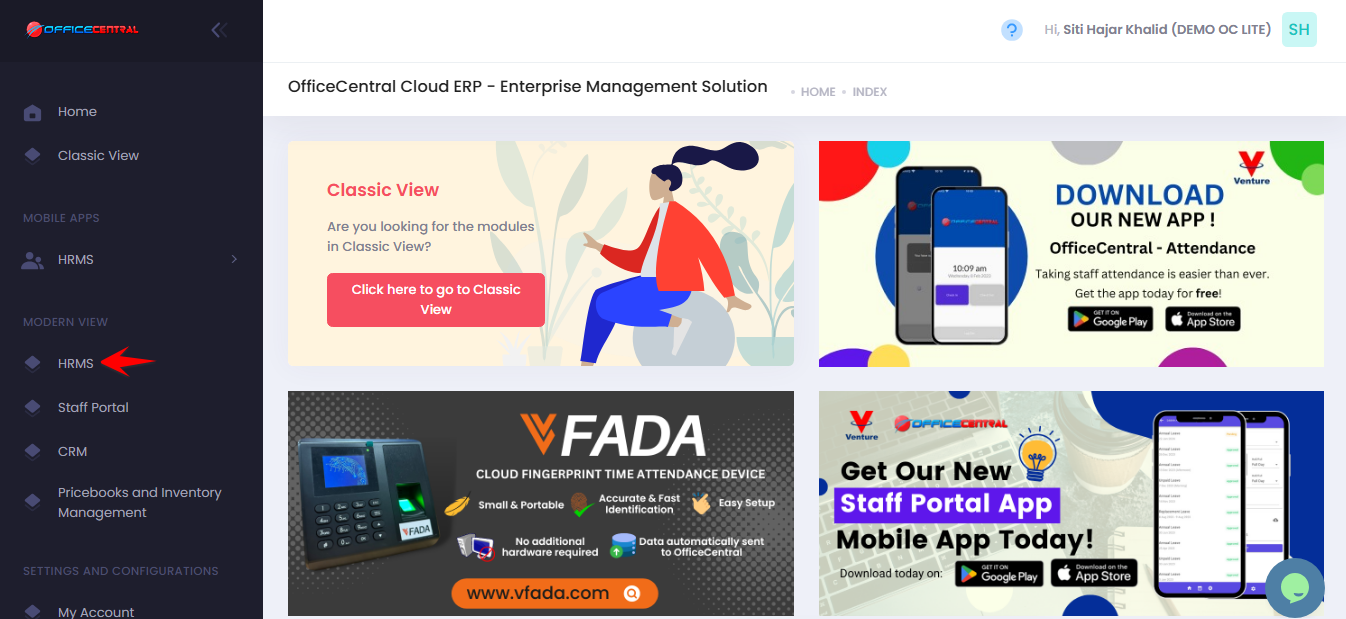
? Where to Access This Function
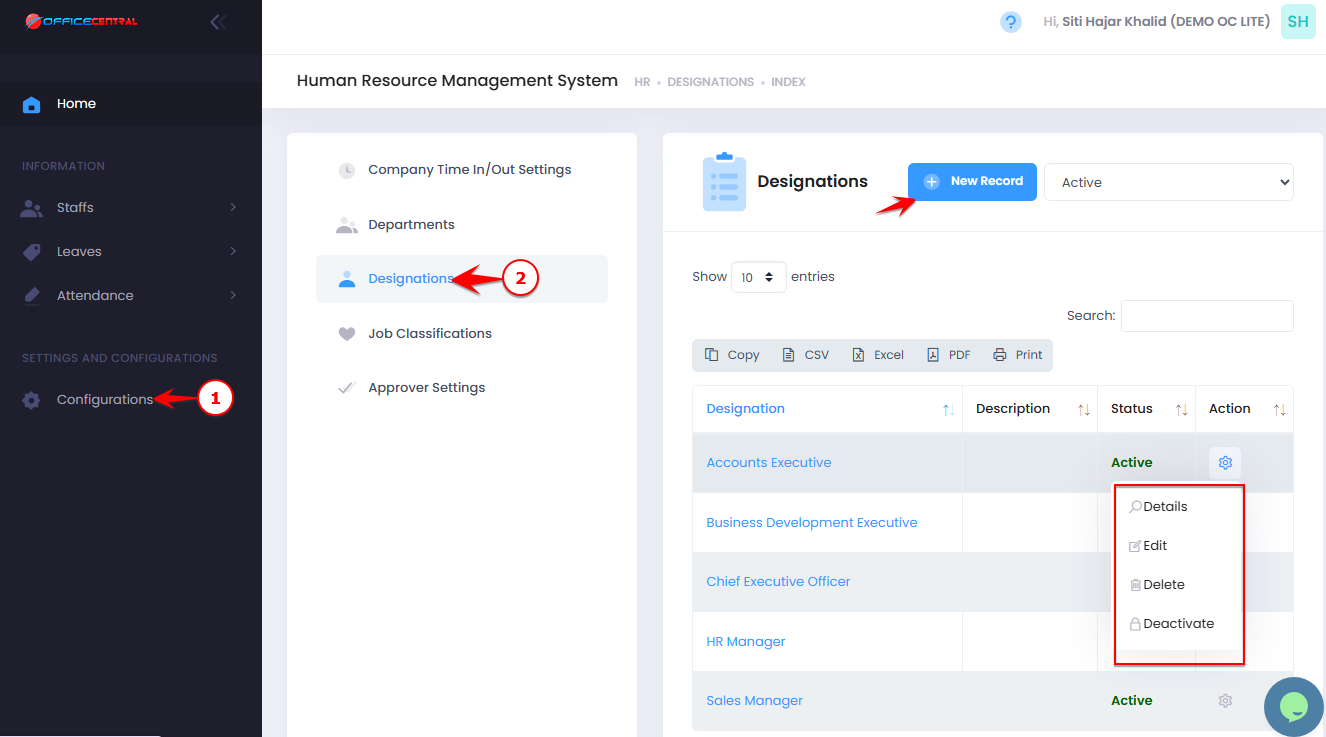
Go to Configurations
Click Designation
From here, you can:
No. Action Description Button 1 Add Create a new designation Click New Record at the top of the page 2 Detail View designation details Click Details next to the designation in the list 3 Edit Modify an existing designation Click Edit next to the designation in the list 4 Delete Permanently remove a designation Click Delete next to the designation in the list 5 Deactivate Temporarily disable a designation without deleting it Click Deactivate next to the designation in the list
Use the screenshot below to locate the Add New button:
1️⃣ Add a New Designation (Compulsary Fields)
Click New Record
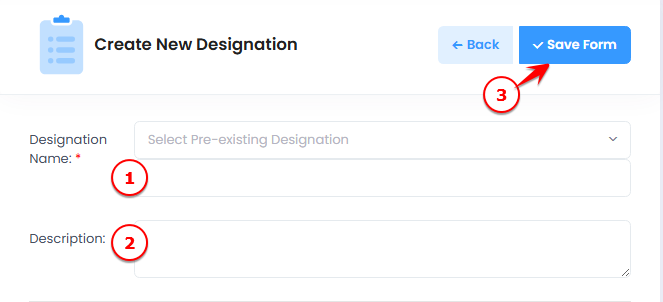
Fill in the designation details:
| No. | Field | What to Enter |
|---|---|---|
| 1 | Designation Name | Full name of the designation (e.g., HR Executive) |
| 2 | Description | Optional notes about the designation |
Click Save Form to create the designation
Use the screenshot below to locate all fields and the Save button.