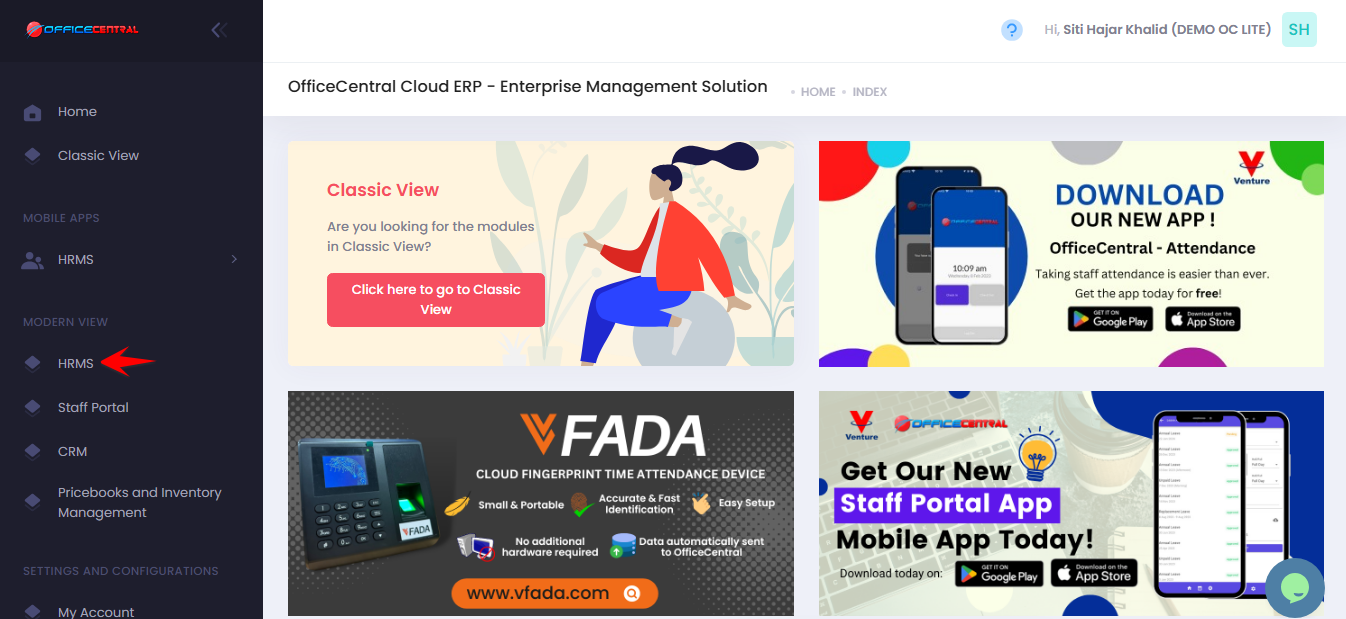
? Where to Access HRMS
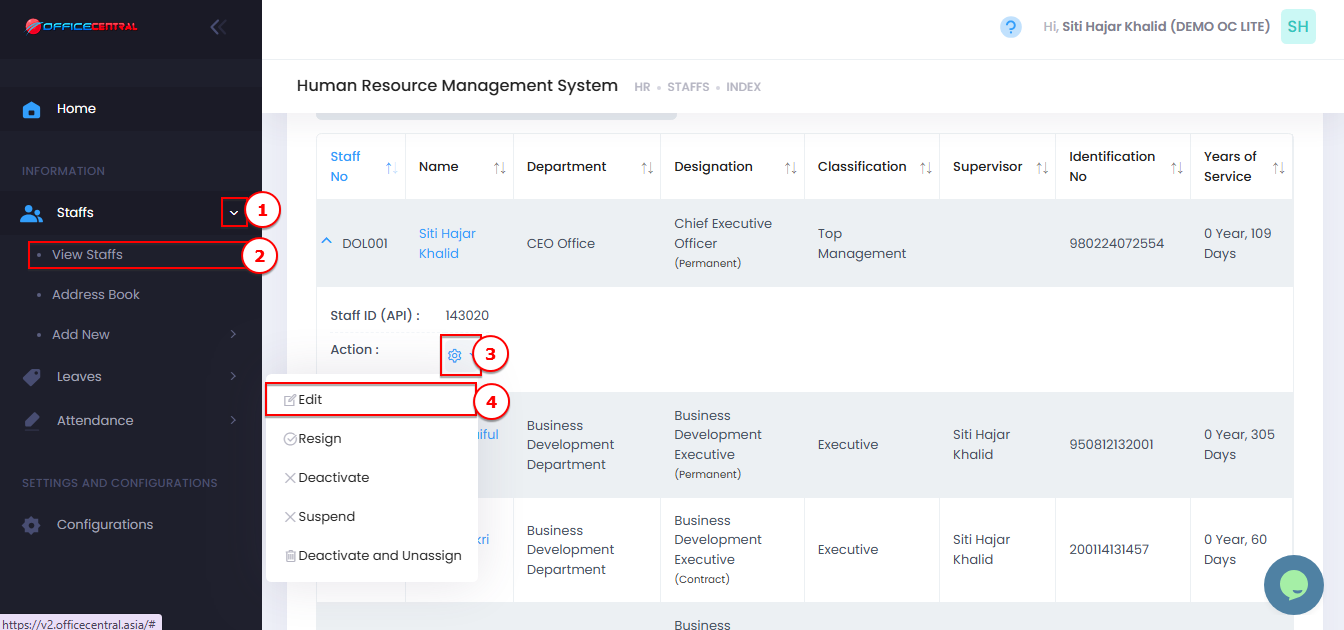
? How do I edit a staff’s information?
Go to Staff
Click View List
Search for the staff name
Click Action Button
Click Edit
Update the necessary information
Always click Save or Submit after making any update.
Use the screenshot below to identify the buttons.