
This module allows you to configure the payment methods your company accepts in CRM (Receipts) and POS module.
? Where to Access CRM
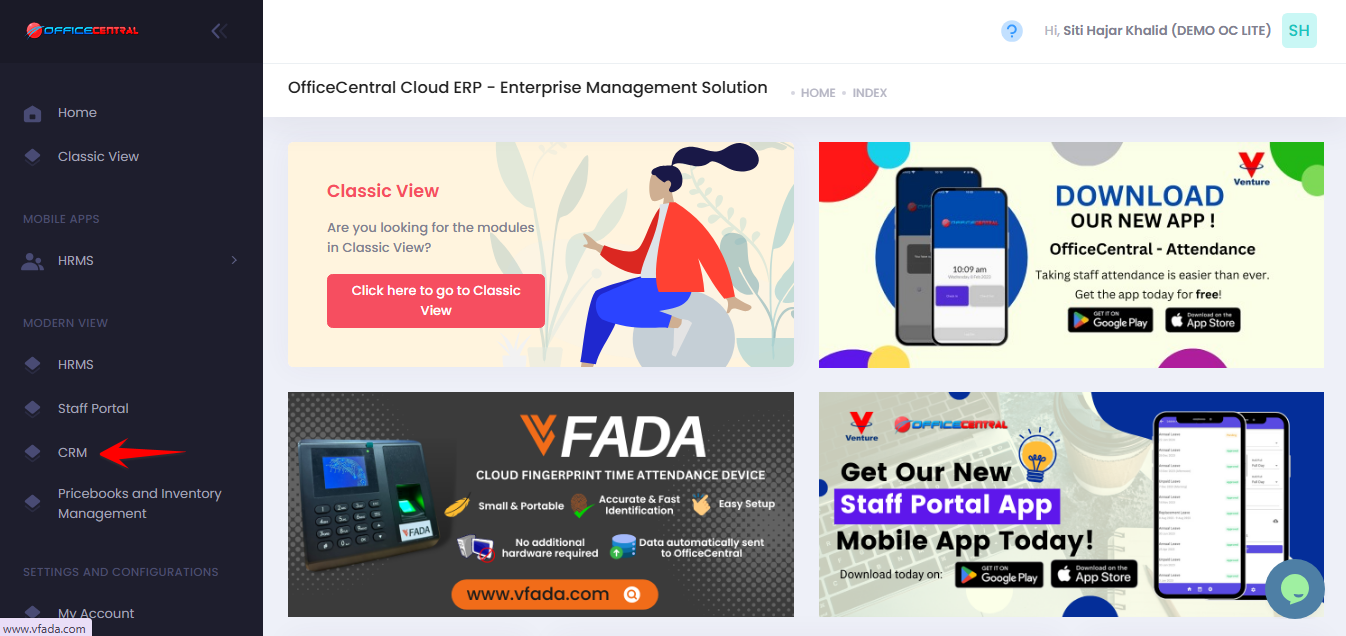
? Where to Access This Function
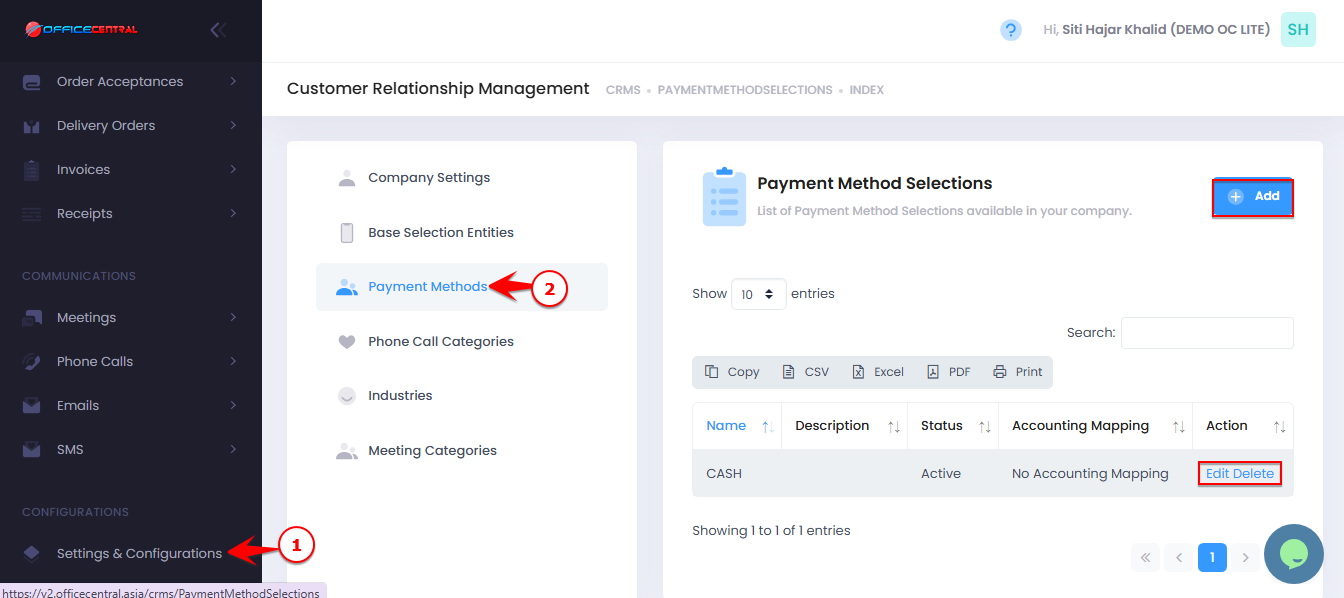
Go to CRM > Settings & Configurations > Payment Methods
On the Payment Methods page, you can see all configured payment methods and perform the following actions:
| No. | Button | Function |
|---|---|---|
| 1 | Add | Add a new payment method |
| 2 | Edit | Modify existing payment method details |
| 3 | Delete | Remove a payment method (only if not used in any transactions) |
Use the screenshot below to locate these buttons.
1️⃣ Add New Payment Method
Click “Add” on the Payment Methods page.
Fill in the required information:
| No. | Field | Description |
|---|---|---|
| 1 | Name | Enter the name of the payment method, e.g., “Cash”, “Credit Card”, “Bank Transfer” |
| 2 | Description | Optional – additional information about this payment method |
Click Save to create the payment method.
Edit Payment Method
Click “Edit” next to the payment method you want to modify.
Update the required fields (name, description, default status, active status).
Click Save to apply the changes.
Delete Payment Method
Click “Delete” next to the payment method you want to remove.
Confirm deletion.
⚠️ Important Note:
Payment methods that are already linked to invoices or quotations cannot be deleted.
Only UNUSED payment methods can be deleted.