
The Phone Call Categories module allows users to create, manage, and organize types of phone calls.
These categories are useful to classify and report on calls, such as follow-ups, cold calls, customer inquiries, or support calls. Users can add custom categories to suit their company’s needs.
? Where to Access CRM
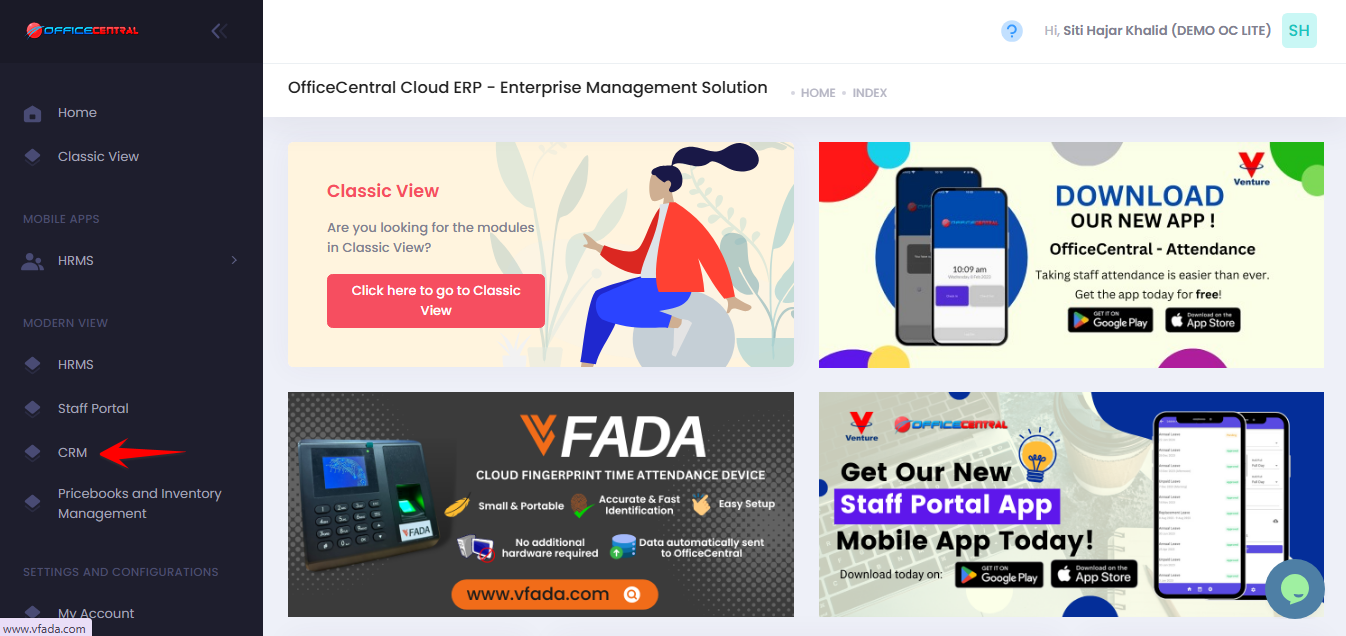
Where to Access Functions
- Go to CRM > Settings & Configurations > Phone call Categories
- On the Phone Call Categories page, you can:
| No. | Function | Description |
|---|---|---|
| 1 | Add | Create a new phone call category |
| 2 | Edit | Modify an existing category |
| 3 | Delete | Remove a category (only if it’s not used in any call records) |
Use the screenshot below to locate these buttons.
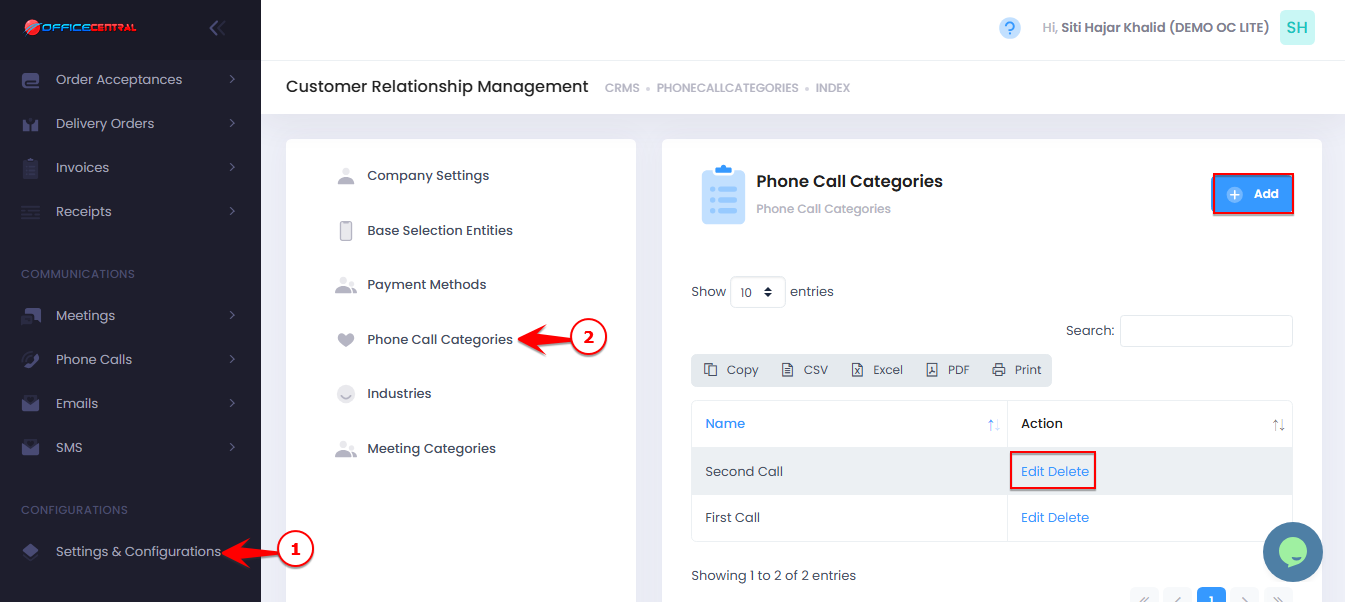
1️⃣ How to Add a New Phone Call Category
Click the “Add” button.
Enter the Phone Category Name (e.g., Follow-Up, Cold Call, Customer Inquiry).
Optionally, select Parent Category
Click Save.
⚠️ Important Notes:
Choose clear and meaningful names, as these will appear in dropdowns when logging phone calls.
Deleting a category that is in use will not be allowed.
2️⃣How to Edit a Phone Call Category
Click Edit next to the category you want to modify.
Update the Phone Call Category or Parent Cstegory
Click Save.
⚠️ Important Notes:
Editing will update the category everywhere it has been used in logged calls.
Avoid changing names of categories actively in use unless necessary.
How to Delete a Phone Call Category
Click Delete next to the category you want to remove.
Confirm the deletion.
⚠️ Important Notes:
Only categories not linked to existing calls can be deleted.
If the category is used, the system will prevent deletion to avoid affecting historical data.