
The Industry module allows users to manage industry categories used in the CRM system. This makes it easier to organize records, filter data, and generate industry-based reports.
The system already includes several default industry categories, but users can add new industries if required.
? Where to Access CRM
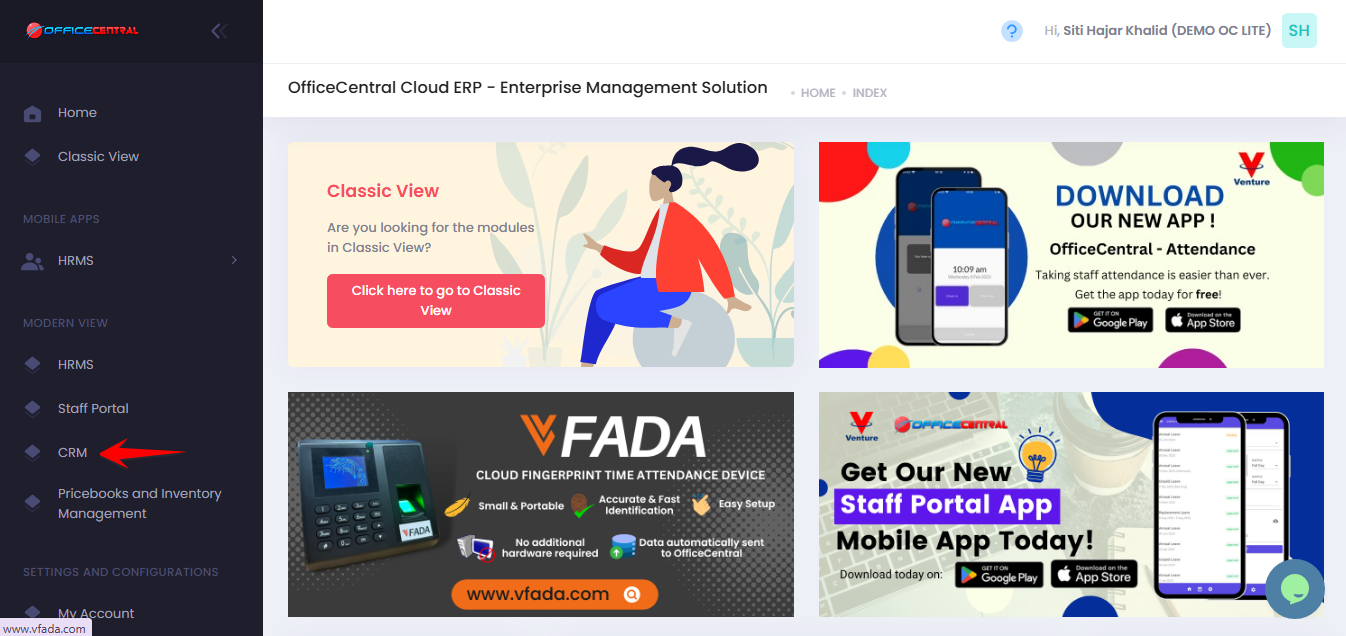
Where to Access This Function
- Go to CRM > Settings & Configurations > Industries
- On the Industry page, you can manage industry categories.
| No. | Function | Description |
|---|---|---|
| 1 | Add | Add a new industry category |
| 2 | Edit | Modify an existing industry |
| 3 | Delete | Remove an industry (if not used in any records) |
Use the screenshot below to locate these buttons.
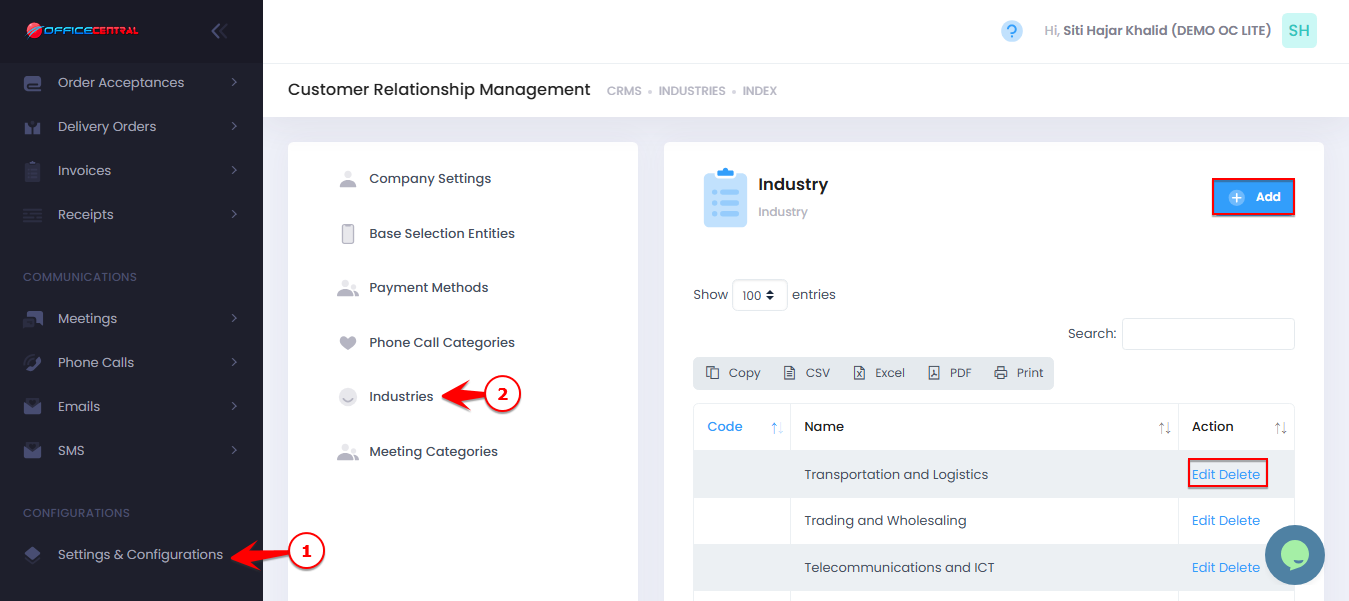
Default Industry List
The system already provides the following industry categories:
Transportation and Logistics
Trading and Wholesaling
Telecommunications and ICT
Retail
Professional and Business Services
Personal Services
Oil & Gas, Mining & Energy
Industrial and Commercial Products
Hospitality, Food Service & Tourism
Healthcare, Pharmaceutical & Biotechnology
Furniture and Wood-based Manufacturing
Food & Beverages
Financial Services
Electrical and Electronics
Education and Training
Consumer Goods
Construction, Property Development & Building
Chemical and Plastics
Automotive
Agriculture, Livestock, Plantations and Commodities
These options are available for users to select when creating or managing accounts and leads in CRM.
1️⃣ How to Add a New Industry
If the required industry is not available in the default list, you can add a new one.
Steps:
Click Add.
Enter the Industry Code and Name.
Click Save.
The new industry will then appear in the industry dropdown list when creating or editing accounts.
2️⃣ How to Edit an Industry
Click Edit next to the industry you want to update.
Modify the Industry Code and Name.
Click Save.
⚠️ Note:
Editing an industry name will update it wherever it is used in the system.
3️⃣ How to Delete an Industry
Click Delete next to the industry you want to remove.
Confirm the deletion.
⚠️ Important Note:
An industry can only be deleted if it is not used in any account or CRM records.