
The Meeting Categories module allows users to create and manage categories used when scheduling meetings and movements in the CRM system. These categories help classify the purpose or type of meeting, making it easier to organize records, track activities, and generate reports.
Meeting Categories are also linked to Movement Categories, so the same category can be used when logging staff movements related to meetings or business visits.
? Where to Access CRM
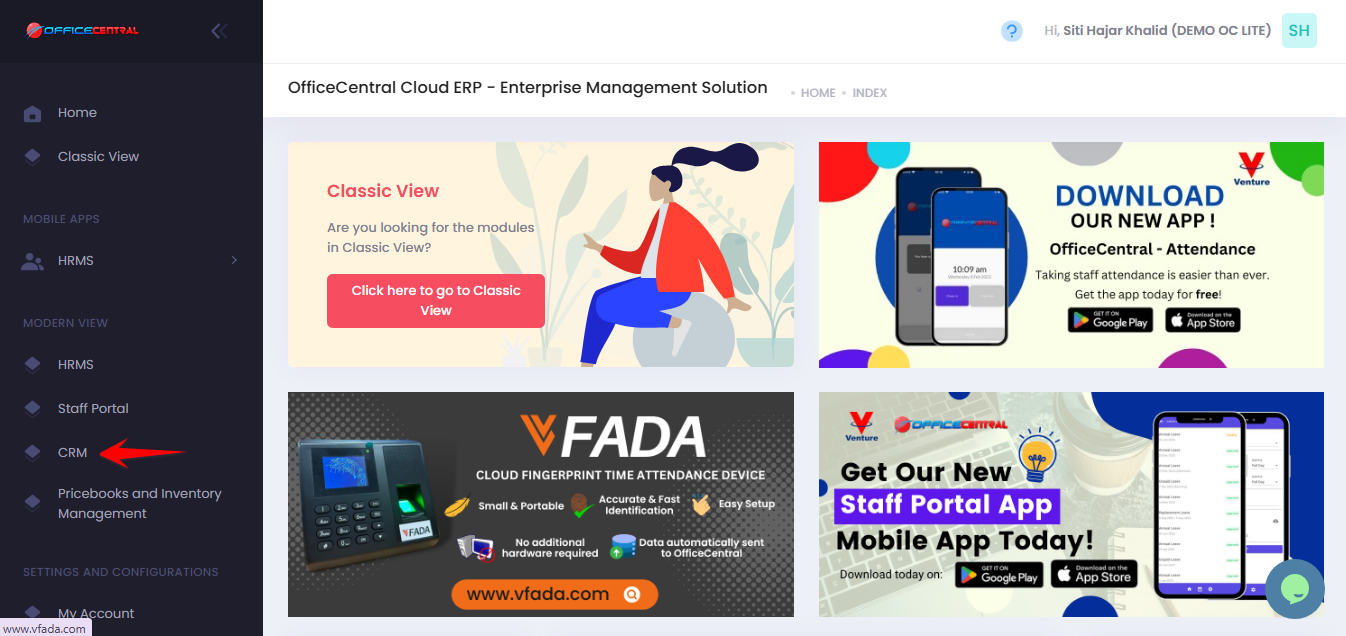
Where to Access This Function
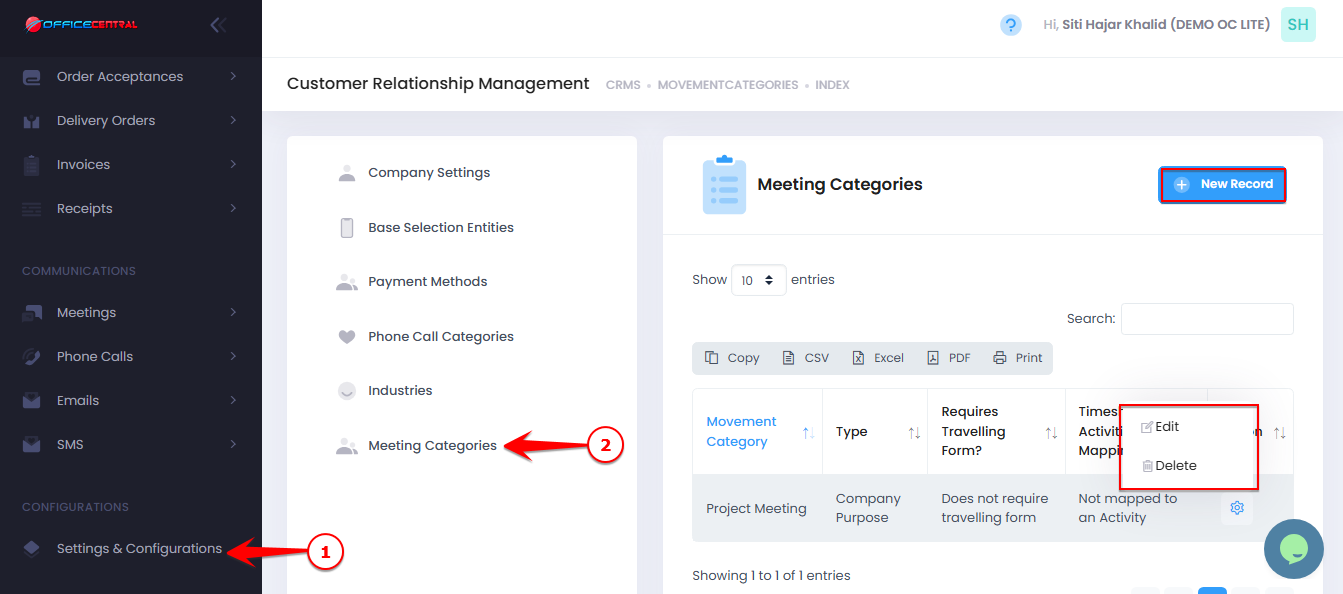
- Go to CRM > Settings & Configurations > Meeting Categories
- On the Meeting Categories page, you can manage the available categories.
| No. | Function | Description |
|---|---|---|
| 1 | Add | Add a new meeting category |
| 2 | Edit | Modify an existing category |
| 3 | Delete | Remove a category (if it is not used in any records) |
Use the screenshot below to locate these buttons.
1️⃣ How to Add a New Meeting Category
If your company needs additional categories for meetings or movements, you can create them here.
Steps:
Click New Record.
Enter the Meeting Category Name.
Click Save.
The new category will then be available when users schedule meetings or record movements.
2️⃣ How to Edit a Meeting Category
Click Edit next to the category you want to update.
Modify the category name.
Click Save.
⚠️ Note:
Editing a category will update the name wherever it is used in meeting or movement records.
3️⃣ How to Delete a Meeting Category
Click Delete next to the category you want to remove.
Confirm the deletion.
⚠️ Important Note:
A category can only be deleted if it is not currently used in any meeting or movement records.