This guide explains how to assign or reassign leads to another user in OfficeCentral. Assigning leads helps ensure the right salesperson or team member is responsible for following up with the lead.
? Where to Access CRM
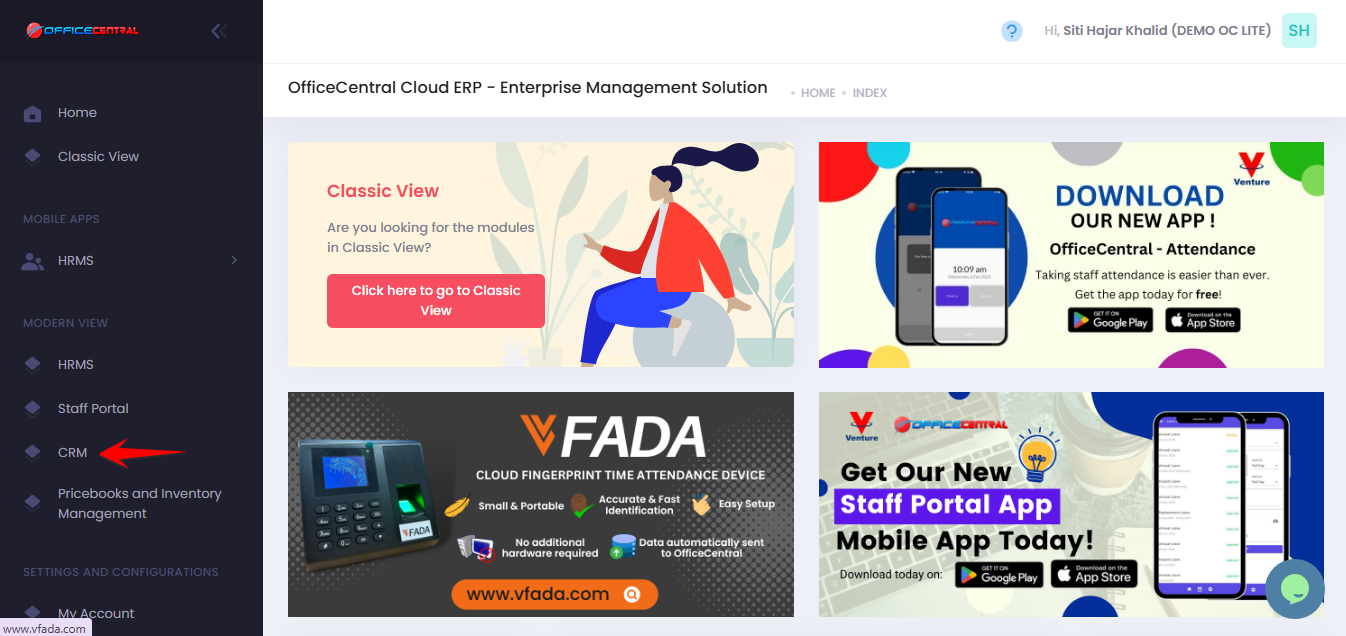
How to Assign a Lead to a User
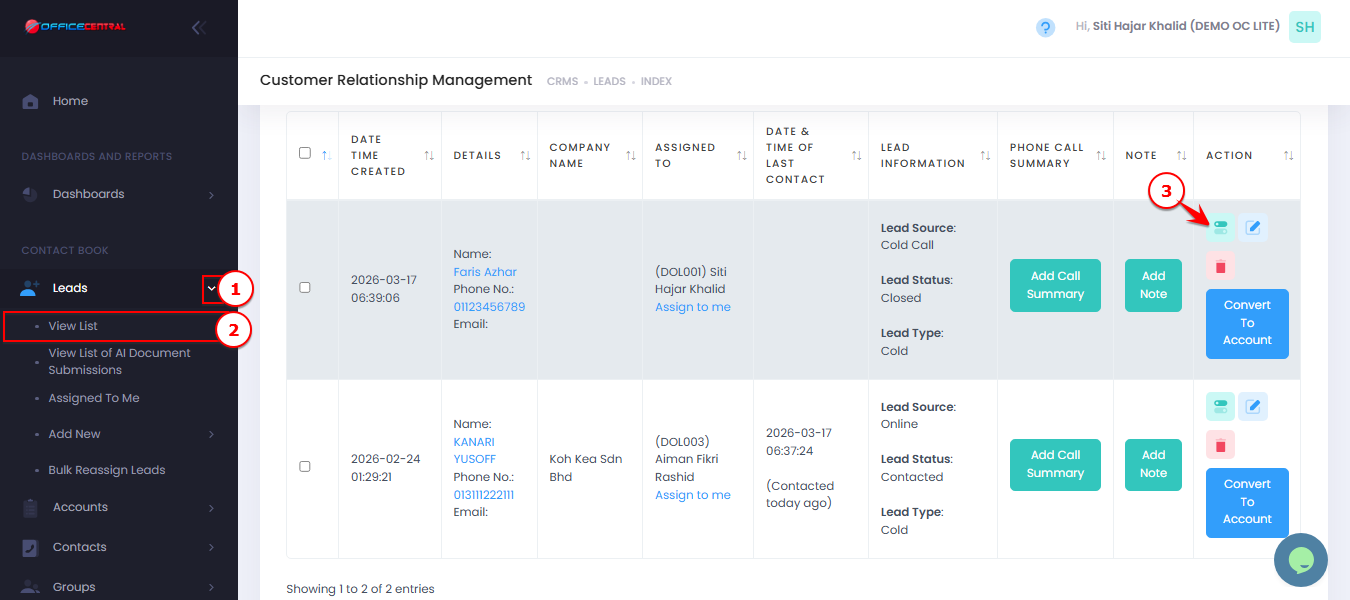
- Go to CRM > Leads > View List
- Click on one of the lead's details
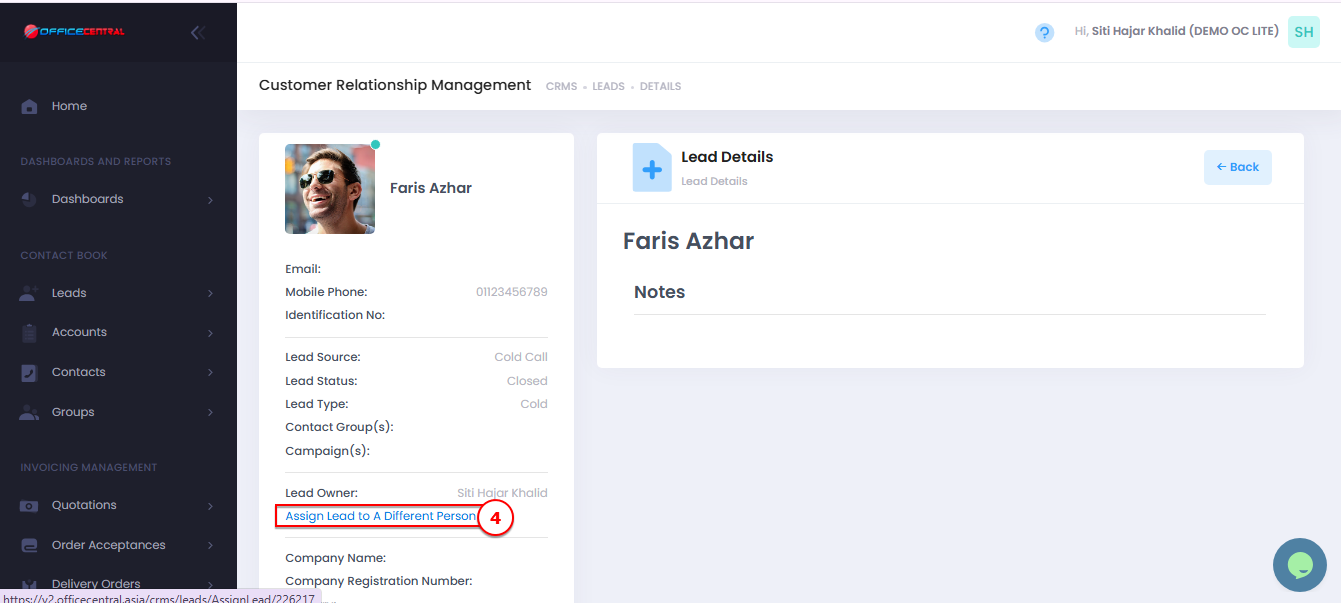
- Click on Assign Lead to A Different Person
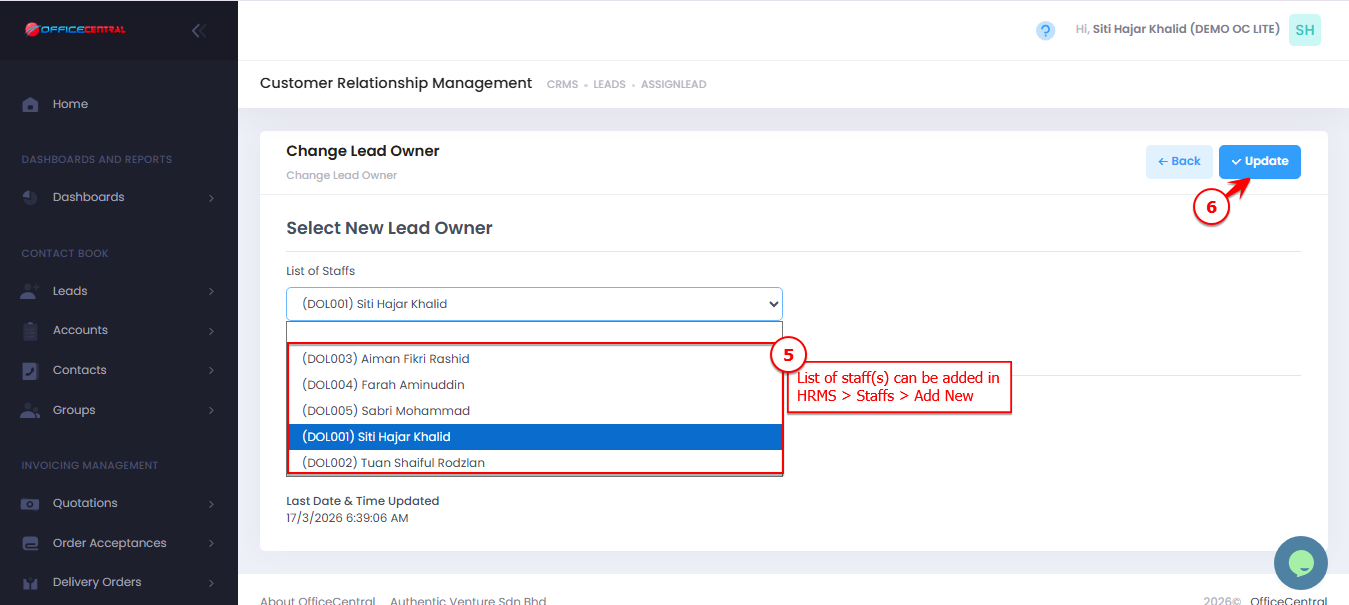
- Choose a staff to be assigned and click Update
Use the screenshot below to locate these buttons.
How to Assign Multiple Leads (Bulk Assign)
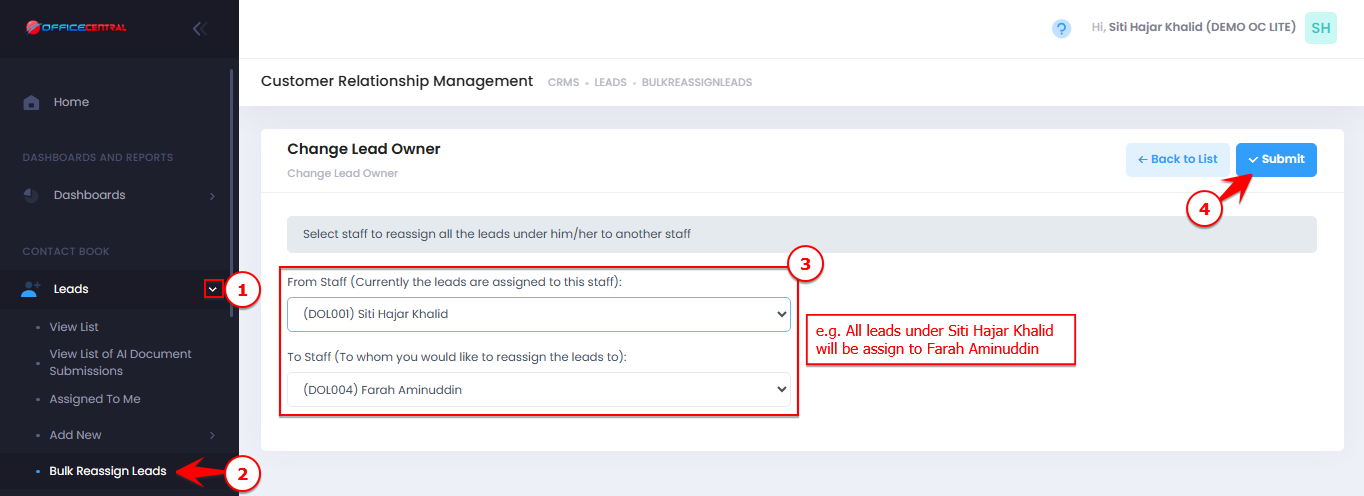
- Go to CRM > Leads > Bulk Reassign Leads
Select From Staff and To Staff
Click Submit
This feature lets you quickly reassign leads among team members. It’s especially useful for redistributing leads when a staff member leaves, ensuring smooth follow-up and no missed opportunities.
Use the screenshot below to locate these buttons.