
A Lead should be converted when the prospect has become a confirmed customer, supplier, or business partner, so that you can proceed with financial transactions such as quotations and invoices.
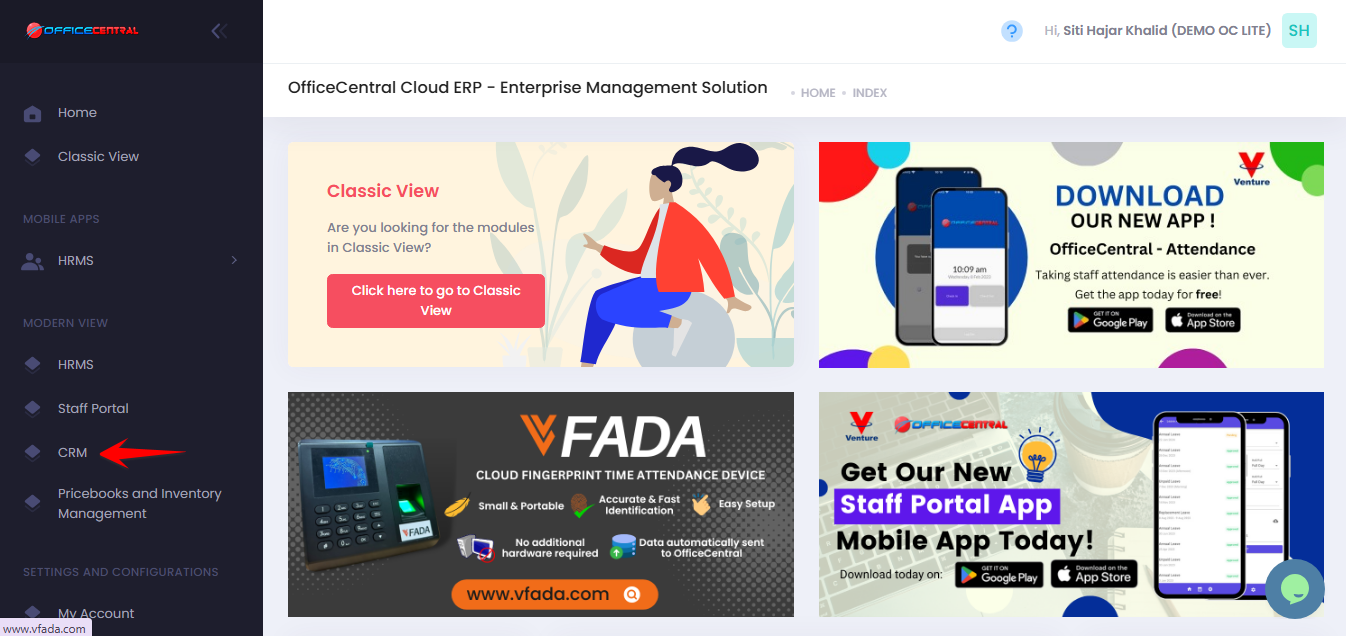
? Where to Access CRM
How to Convert a Lead to an Account
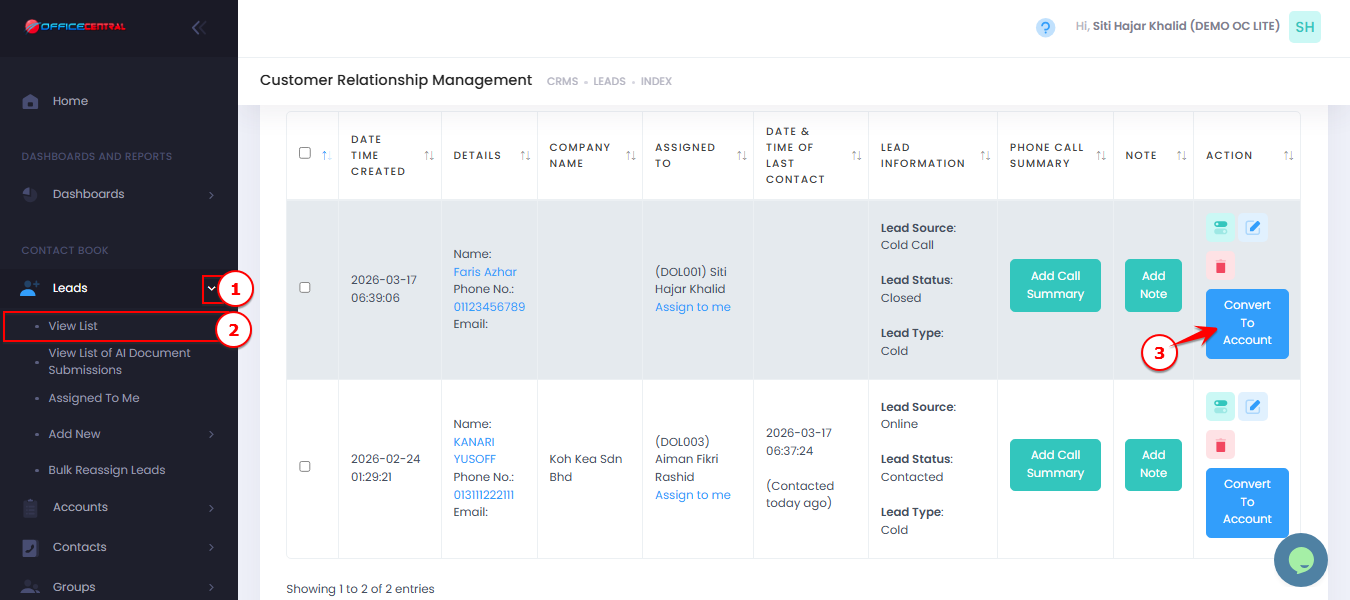
Go to CRM > Leads > View List
Locate the lead you want to convert.
Click Convert to Account.
Use the screenshot below to locate these buttons.
What Happens After Conversion
| Item | Result |
|---|---|
| Lead | Converted into an Account |
| Account | Created in Contact Book |
| Financial Transactions | Now enabled (quotation, invoice, etc.) |
| Contact Information | Carried forward from lead |
Important Notes
| Situation | Explanation |
|---|---|
| When to convert | When the lead is confirmed as a real customer or business partner |
| Before conversion | Ensure lead information is accurate and complete |
| After conversion | You can proceed with financial transactions |
| Data | Lead information will be transferred to the account |
Best Practices
Only convert qualified leads to keep your account list clean
Ensure company and contact details are correct before saving
Avoid duplicate accounts by checking if the company already exists