This guide explains how to reassign account to another user in OfficeCentral. Assigning accounts helps ensure the right salesperson or team member is responsible for following up the account.
? Where to Access CRM
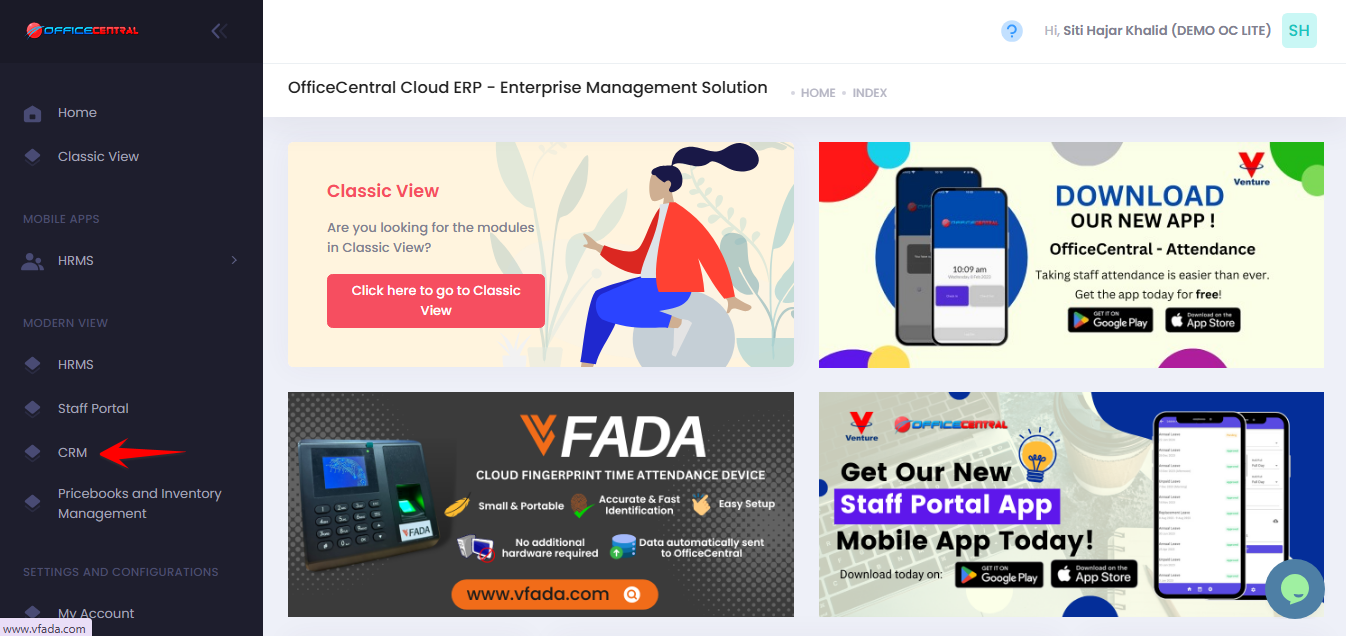
How to Reassign an Account to a User
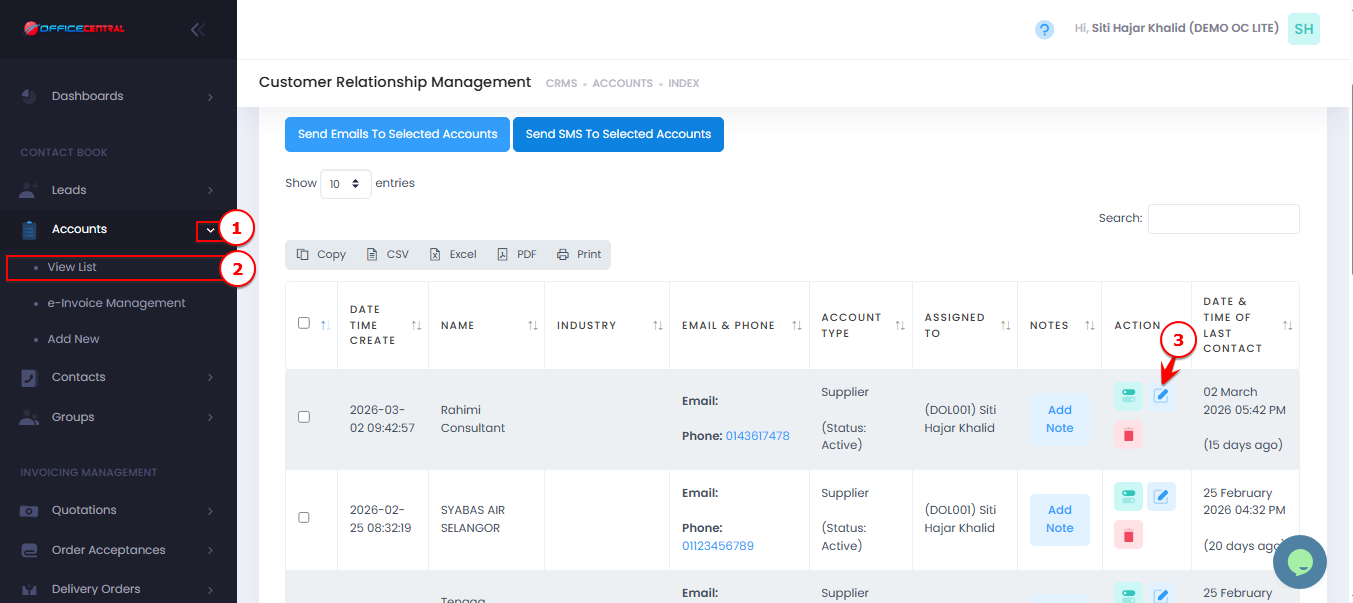
- Go to CRM > Accounts > View List
- Locate the account that need reassignment
- Click on Edit
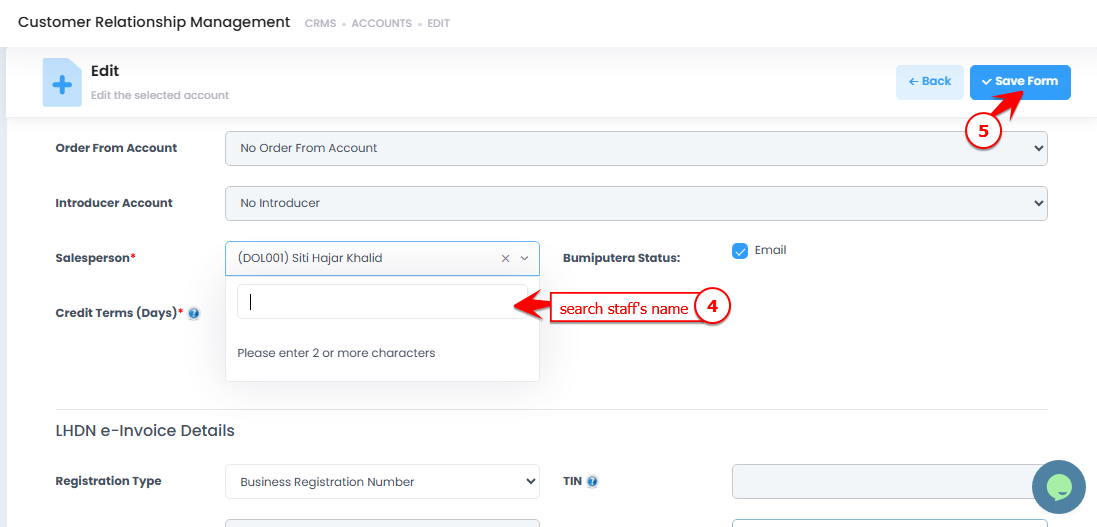
- Change Salesperson (choose a staff to be assigned)
- Click Save Form
Use the screenshot below to locate these buttons.