
This guide explains how to approve or reject leave requests.
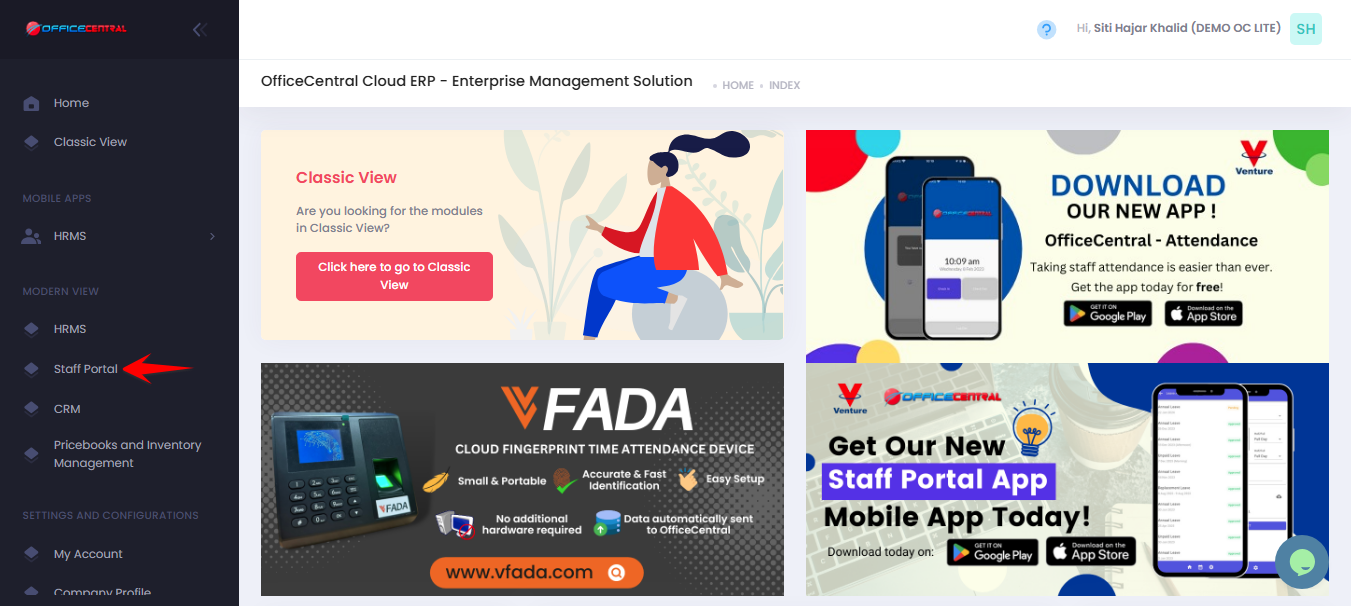
Where to Access Staff Portal
Step 1: Access Leave Approval
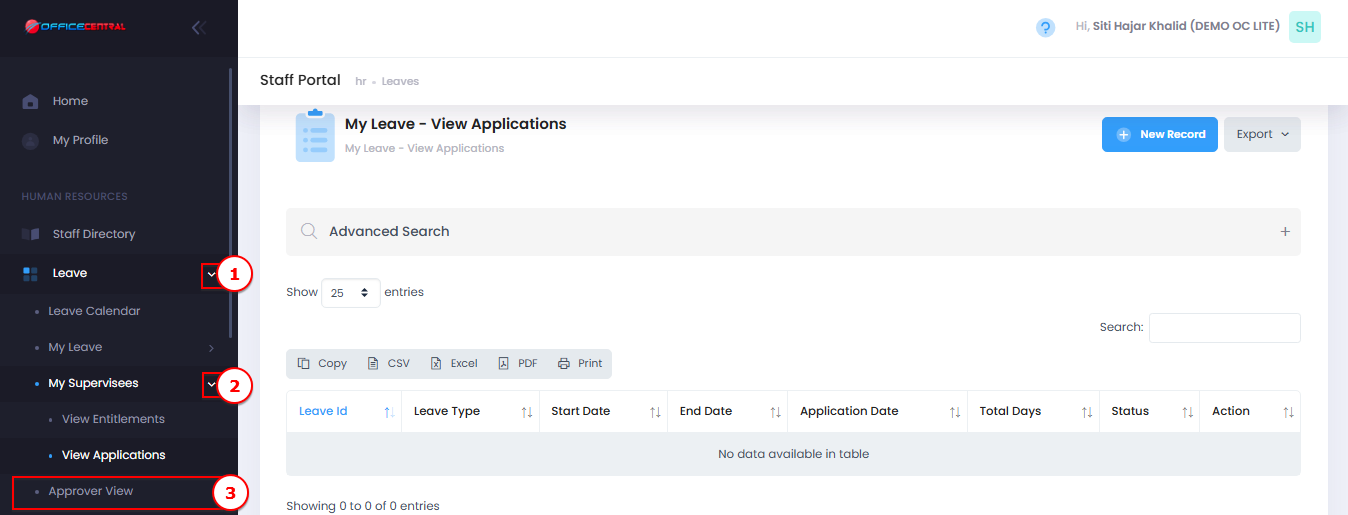
Go to Staff Portal > Leave > My Supervisees > Approver View
Use the screenshot below to locate these buttons
Step 2: Approve or Reject
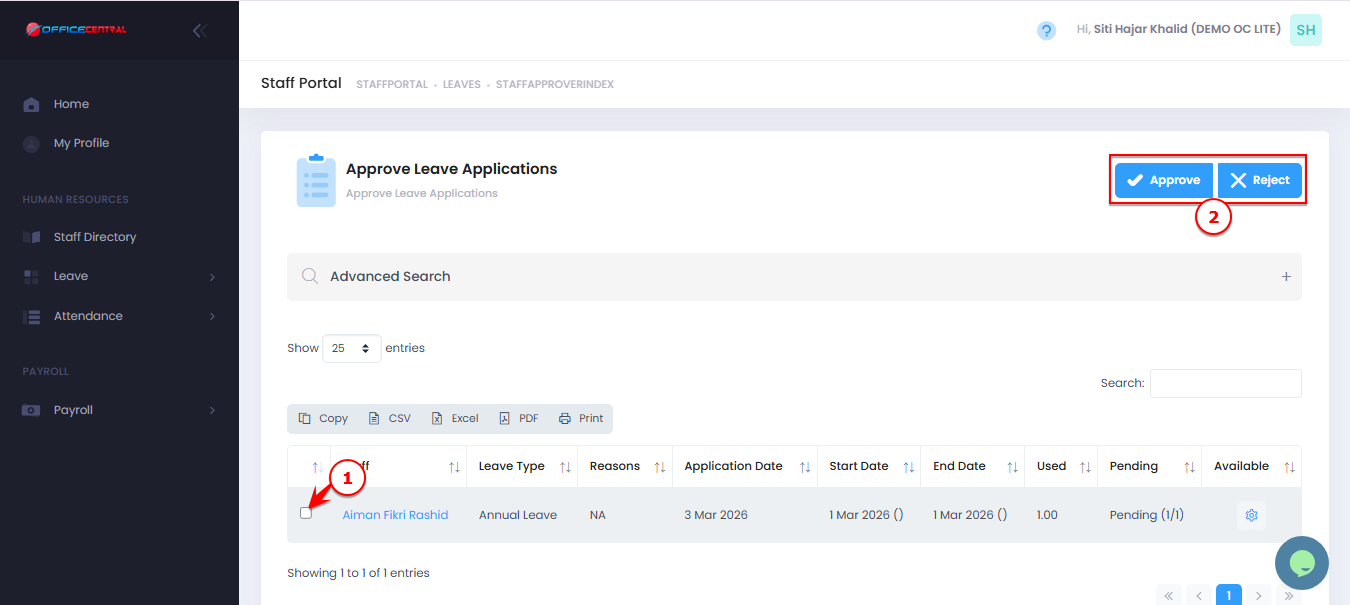
Select leave application to be approve / reject
Click Approve to confirm leave
Click Reject if not approved
Use Use the screenshot below to locate these buttons.
Review Application (Optional)
Click on View Details next to the application
Review employee’s leave balance and reason
⚠️ Important Notes
Only authorized approvers can approve or reject leave.
Employees should apply leave in advance to avoid rejection