
This guide explains how to add, view, edit, and delete phone calls in CRM.
Phone Calls help you track communication history with leads, and contacts for better follow-up and record keeping.
? Where to Access CRM
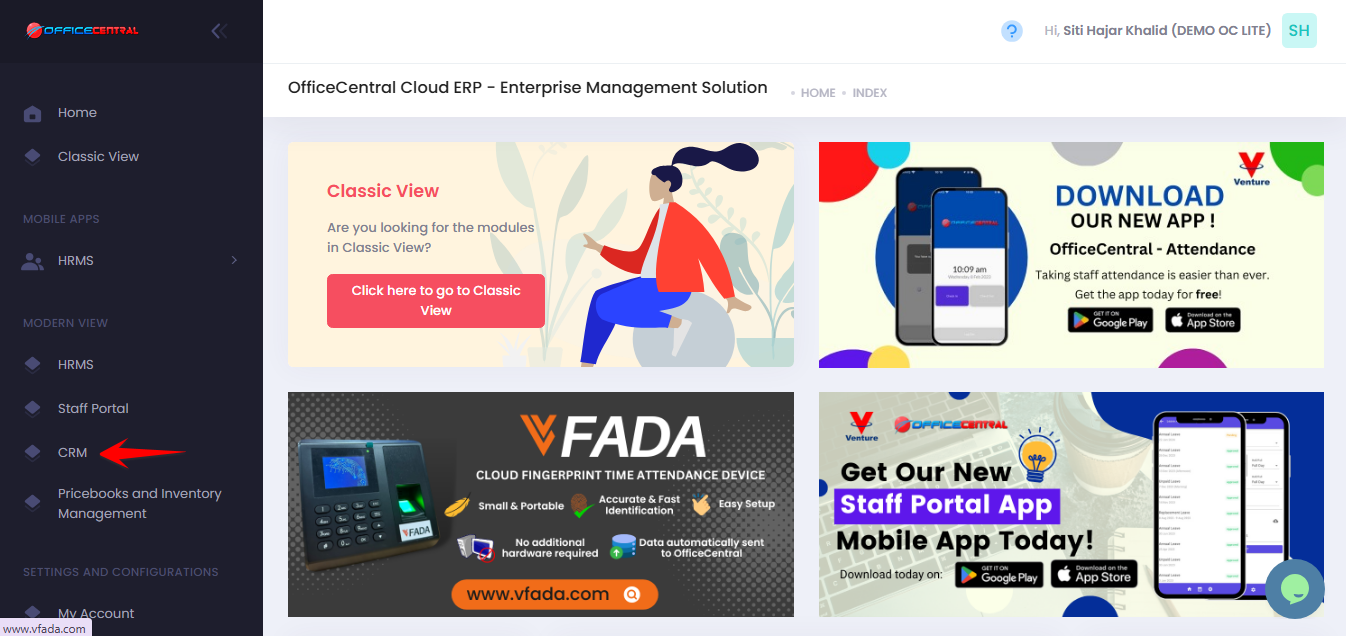
Where to Access This Function
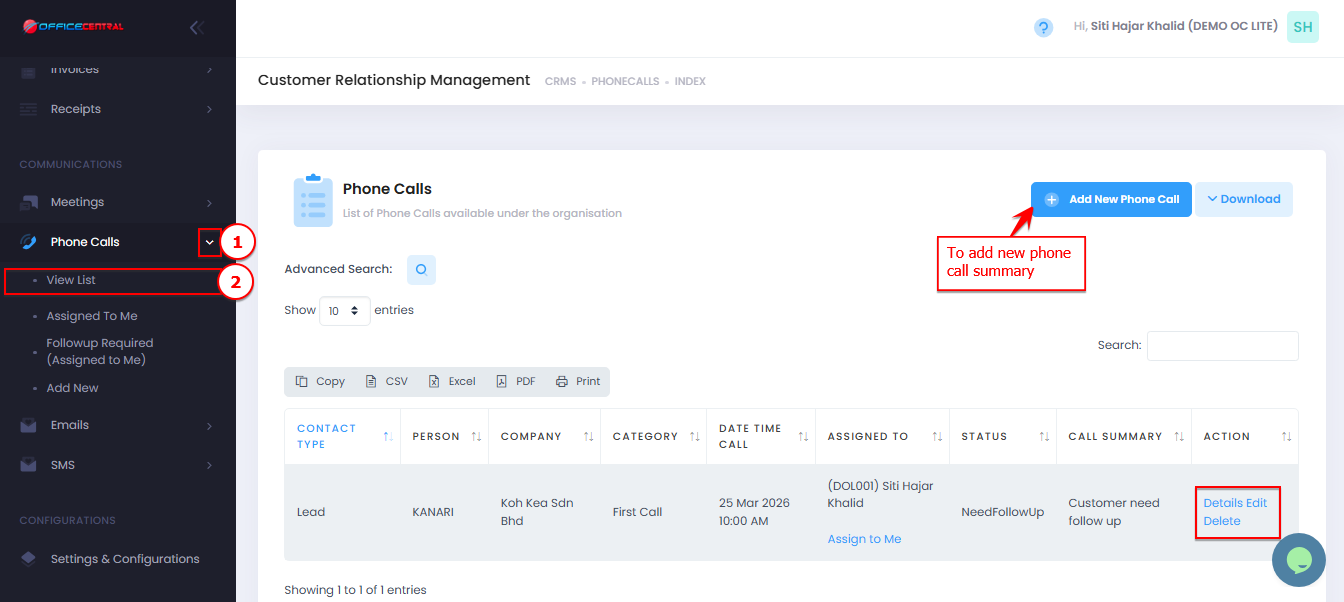
On the Phone Calls View List page, you will see:
| No. | Function | Description |
|---|---|---|
| 1 | Add | Create a new phone call record |
| 2 | Edit | Update phone call details |
| 3 | Delete | Remove a phone call record |
| 4 | Details | View full phone call information |
Use the screenshot below to locate these buttons.
How to Add New Phone Call
Go to Phone Calls > View List
Click Add New Phone Call
Fill in the required information below:
1. Contact
| Field | Description |
|---|---|
| Contact * | Select contact (PIC) |
| Add New Contact | Add contact if not available |
2. Report
| Field | Description |
|---|---|
| Call Summary / Problem Description | Brief summary of the call or issue |
| Notes / Cause of the Problems | Details or root cause |
| Action Taken / Solution Given | Action taken or solution provided |
3. Call Information
| No. | Field | Description |
|---|---|---|
| 1 | Date Time Call * | Date and time of the call |
| 2 | Type * | Inbound / Outbound |
| 3 | Category * | Main call category. To add more phone call categories, please refer CRM Configurations - Phone Call Categories |
| 4 | Sub-Category * | More specific classification. To add more phone call categories, please refer CRM Configurations - Phone Call Categories |
| 5 | Assigned To * | Staff responsible for the call |
| 6 | Status * | Call status (e.g., Open, Closed) |
4. Click Save Form after completing required fields (*).
How to View Phone Call Details
Go to Phone Calls > View List
Click Details next to the phone call summary
Review:
Call information
Contact / PIC
Call Summary / Problem Description
Notes / Cause of the Problems
Action Taken / Solution or Guide Given
Status
How to Edit Phone Call
Go to Phone Calls > View List
Click Edit next to the phone call summary
Update necessary details
Click Save Form
How to Delete Phone Call
Go to Phone Calls > View List
Click Delete next to the phone call summary
Confirm deletion
⚠️ Deleted records cannot be recovered.