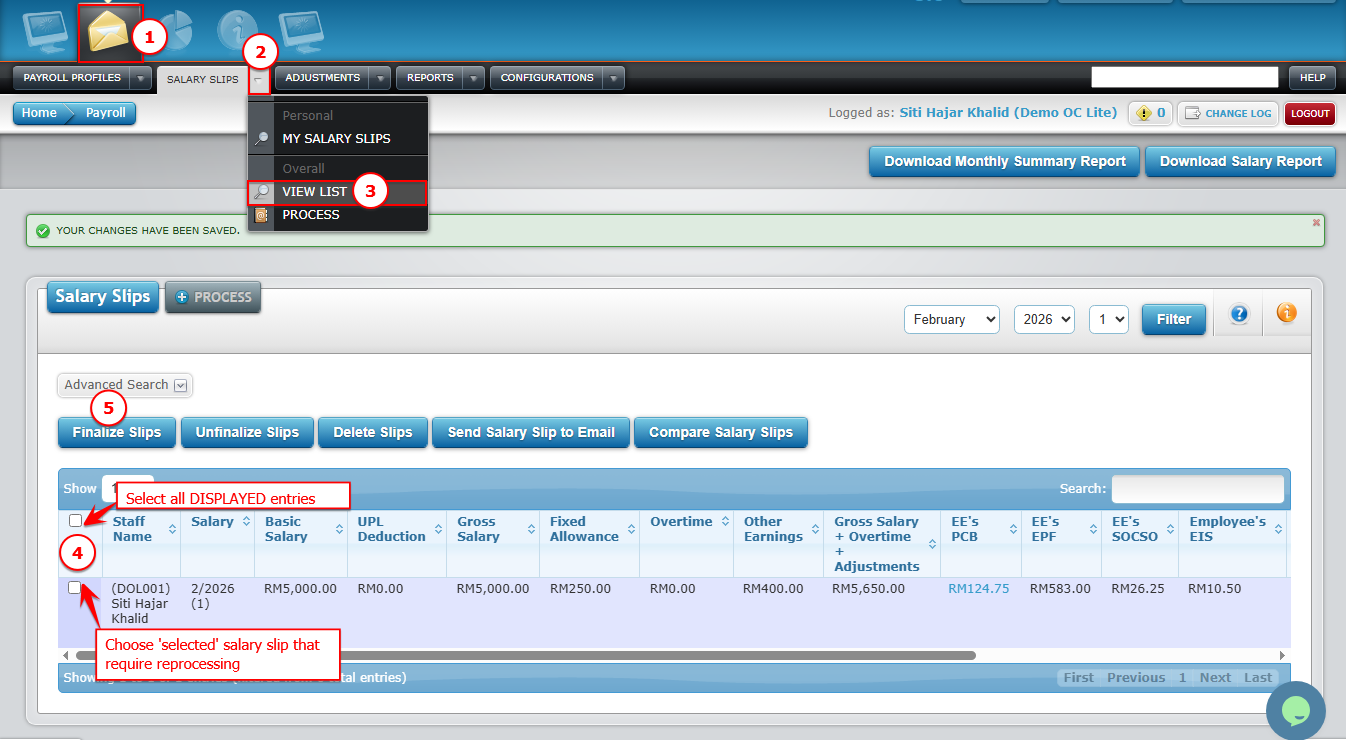
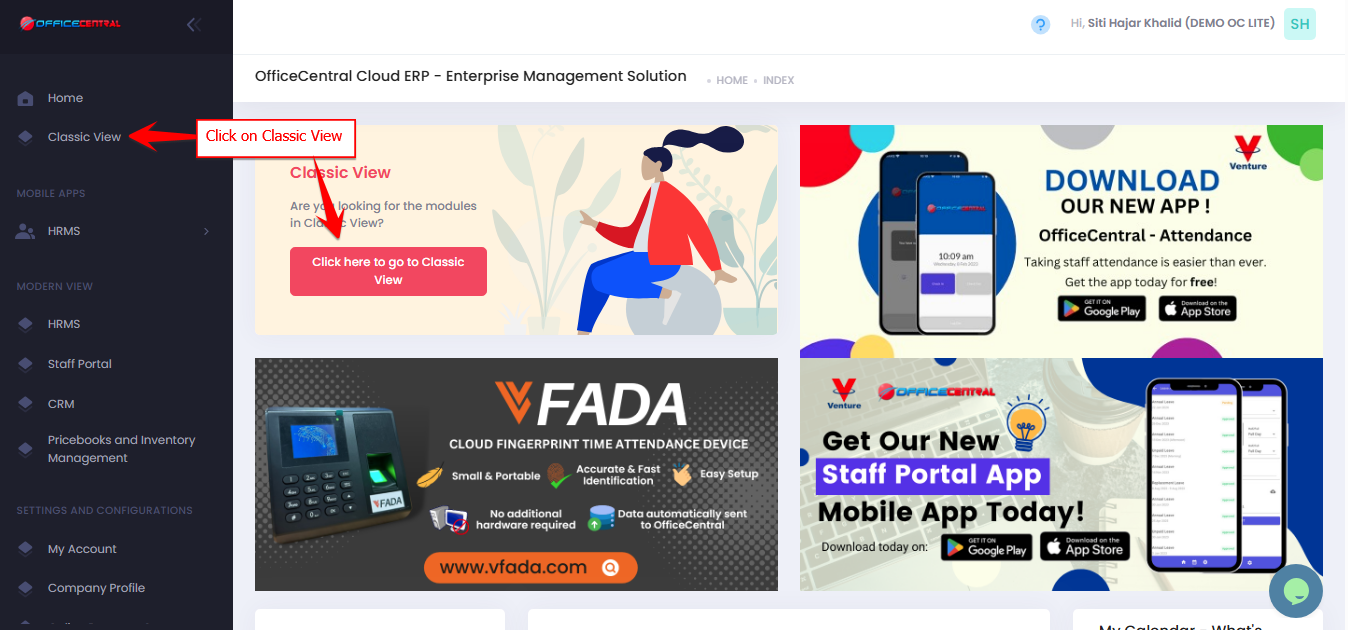
? Where to Access Payroll

Step 1: Unfinalize Salary Slips
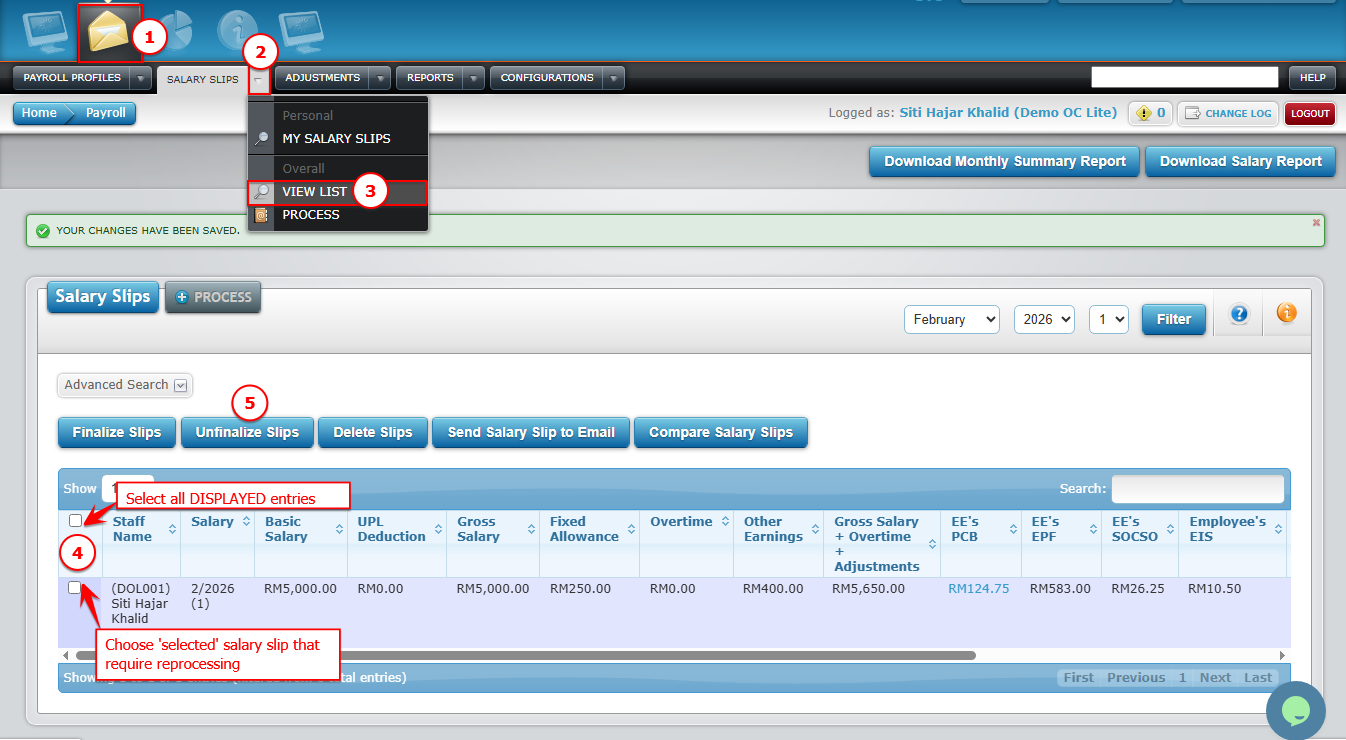
Go to Payroll > Salary Slips > View List (Overall).
Click Unfinalize Slips to unlock finalized slips.
✅ Tip: Only unfinalize slips you need to update.
Use screenshot below to locate step-by-step button
Step 2: Delete Existing Salary Slips
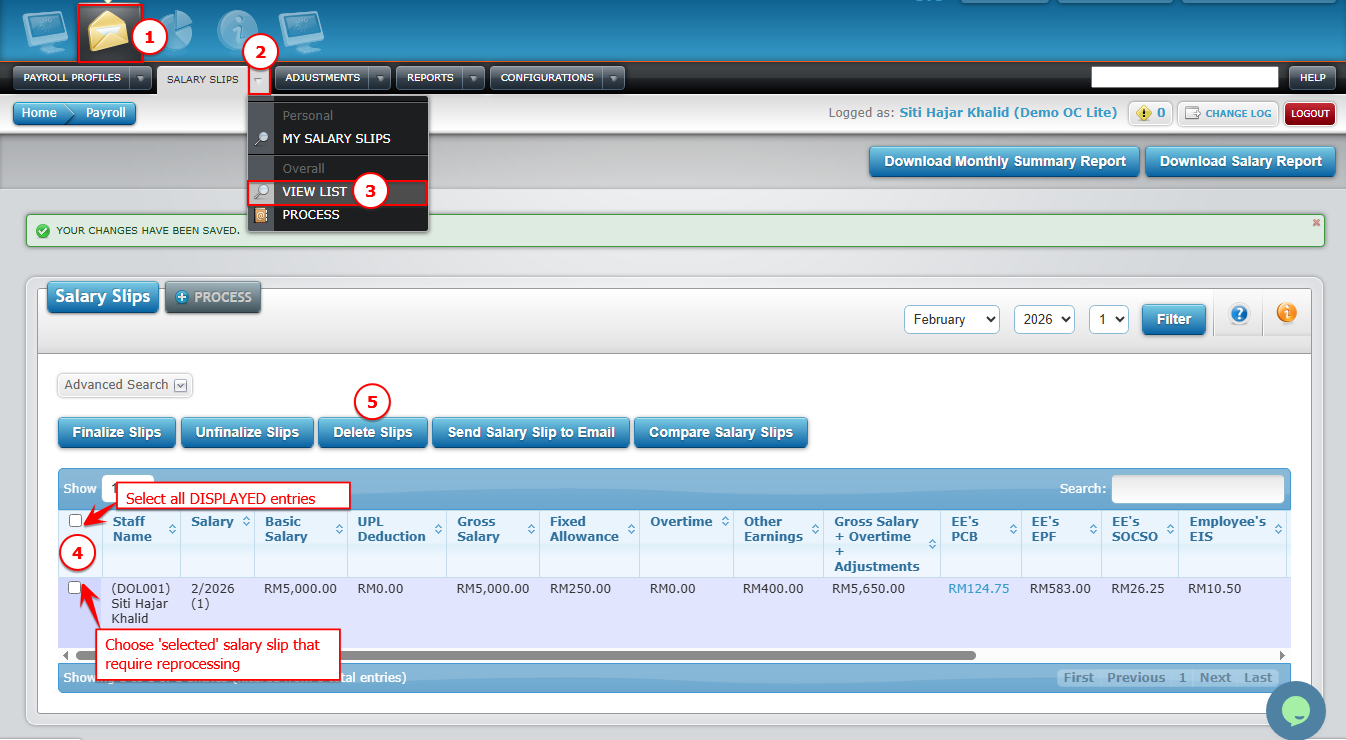
After unfinalizing, select the slips you want to reprocess.
Click Delete to remove them.
⚠️ Important: Deleted slips cannot be recovered, so double-check the month and pay run before deleting.
Use screenshot below to locate step-by-step button
Step 3: Process Salary Slips Again
Click Process to generate salary slips for the selected staff.
You may refer Step 4: Process and Manage Salary Slips for further steps to process
Use screenshot below to locate step-by-step button

Step 4: Finalize Salary Slips
After reviewing, click Finalize Slips to lock the updated salary slips.
✅ Note: Staff can only view their salary slips after finalization.
Use screenshot below to locate step-by-step button