
This guide provides an overview of how to record and manage supplier transactions in OfficeCentral Accounting Module.
It covers:
Creating suppliers (Creditor database)
Recording supplier invoices (Received Invoices)
Making payments (Issue Payment / Payment Voucher)
Handling adjustments (Credit/Debit Notes)
? Each transaction includes its own approval step, which will be explained in the respective articles.
Transaction Flow
Create Supplier (Creditor)
Receive Invoice
Issue Payment (Payment Voucher)
Credit Note / Debit Note (if needed)
1. Create Supplier (Creditor)
Create and manage your customer database before recording any transactions.
? Go to: 4.1 How to Create and Manage Supplier (Creditor)
2. Receive Invoice / Self-billed Invoice
Record sales and generate invoice for customer.
? Go to: 4.2.1 How to Create and Manage Receive Invoice
‼ Special Case: Self-Billed Invoice (LHDN Compliance)
In certain situations, you are required to issue a self-billed e-Invoice, even if no invoice is received from the supplier.
This only applies to specific cases defined by LHDN as “Special Payments”.
? Go to: 4.2.2 How to Create and Manage Self-Billed Invoice
When is Self-Billed Invoice Required?
You are required to issue a self-billed e-Invoice if your payment falls under the following categories:
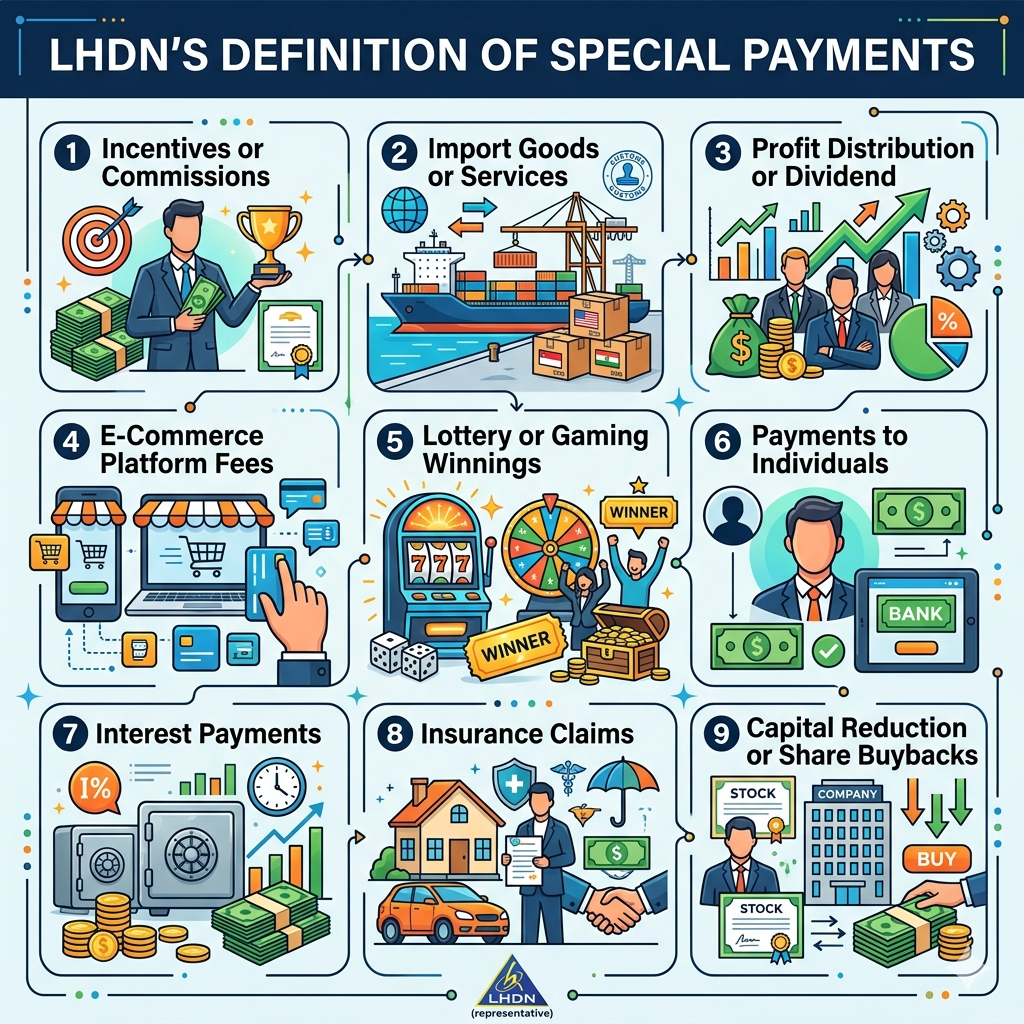
1. Incentives or Commissions
Paid to agents, dealers, or distributors
2. Import of Goods or Services
Payments to foreign suppliers
Importing goods or services into Malaysia
3. Profit Distribution
Payments to shareholders or investors
⚠️ Note: Dividends from Sdn Bhd / Bhd are currently exempt
4. E-Commerce Platform Fees
Payments to platforms like Shopee, Lazada, etc.
5. Lottery or Gaming Winnings
Prize payouts by licensed operators
6. Payments to Individuals
Payments to non-business individuals
Rental to individuals
Referral / commission fees
7. Interest Payments
Interest paid to individuals or companies
⚠️ Exception: Banks and financial institutions will issue their own e-Invoice
8. Insurance Claims
Claim payouts by insurance companies
9. Capital Reduction / Share Buyback
Returning capital to shareholders
Share buybacks
⚠️ Important Notes
Self-billed e-Invoice is NOT required for all missing supplier invoices
It is ONLY REQUIRED for the 9 Special Payment categories above
Always verify with:
Your tax advisor
Official LHDN e-Invoice guidelines
3. Issue Payment (Receipt)
Record payment received from customer and match it with invoice.
? Go to: 4.3 How to Create and Manage Payment (Issue Payment / Payment Voucher)
4. Receive Credit / Debit Note (If Needed)
Used for adjustments:
Credit Note: Reduce supplier invoice amount (e.g., overcharge, returns)
Debit Note: Increase supplier invoice amount (e.g., additional charges)
? Go to: 4.4 How to Create and Manage Received Credit Note
? Go to: 4.5 How to Create and Manage Received Debit Note
⚠️ Important Notes
| No. | Topic | Explanation |
|---|---|---|
| 1 | Supplier Required | MUST create supplier before record receive invoice |
| 2 | Receive invoice First | Issue payment (Payment Voucher) should be linked to received invoice |
| 3 | Adjustments | Use received credit/debit note when needed |
| 4 | Approval | Each transaction must be approved to update financial reports & aging |
? Accounting Entries (Expenses Cycle)
| Scenario | Journal Entry | Remarks |
|---|---|---|
| Receive Invoice | Dt: Inventory / COGS / Overhead Ct: Creditor | Record purchase and liability |
| Issue Payment | Dt: Creditor Ct: Cash / Bank | Reduce payable |
| Receive Credit Note | Dt: Creditor Ct: Inventory / COGS / Overhead | Reduce payable |
| Receive Debit Note | Dt: Inventory / COGS / Overhead Ct: Creditor | Increase payable |